
SOLIDWORKS Electrical 2026 introduces powerful improvements to PDF export capabilities, making it easier than ever to share professional and well-organized documentation with your team, clients, and production staff.
Why PDF Export Flexibility Matters
- Professional Documentation: Ensure schematics and reports are presentation ready.
- Improved Collaboration: Share project information without requiring SOLIDWORKS Electrical.
- Efficiency in Updates: Quickly adjust export settings for different projects without repetitive steps.
Open Your Project
- Launch SOLIDWORKS Electrical 2026.
- Open the project, schematic, or book you want to export.
Navigate to PDF Export
- Go to > Import/Export > PDF.
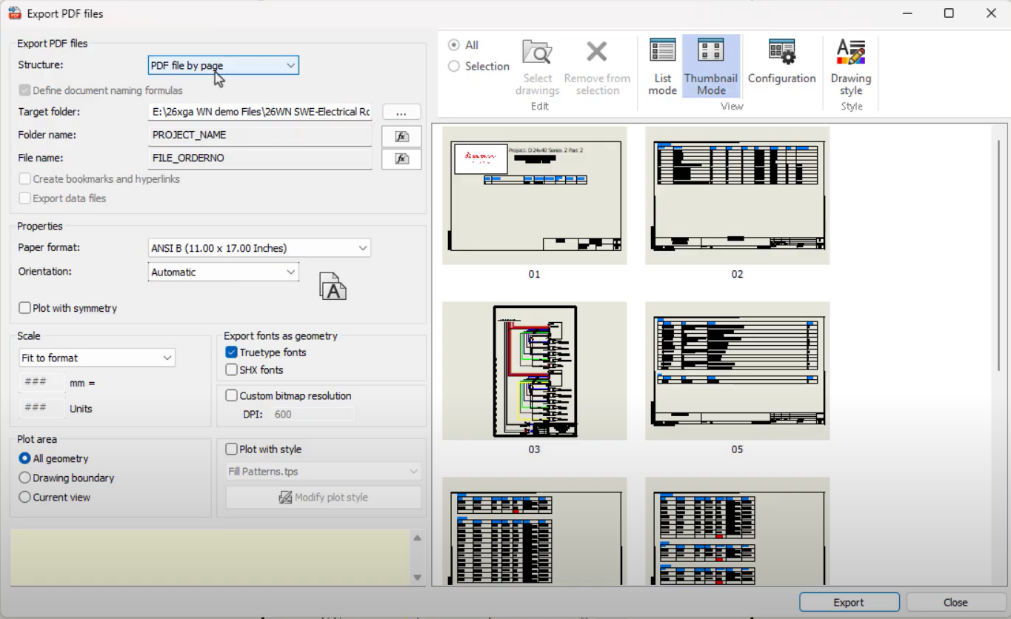
- The Export PDF dialog box opens with new flexible options.

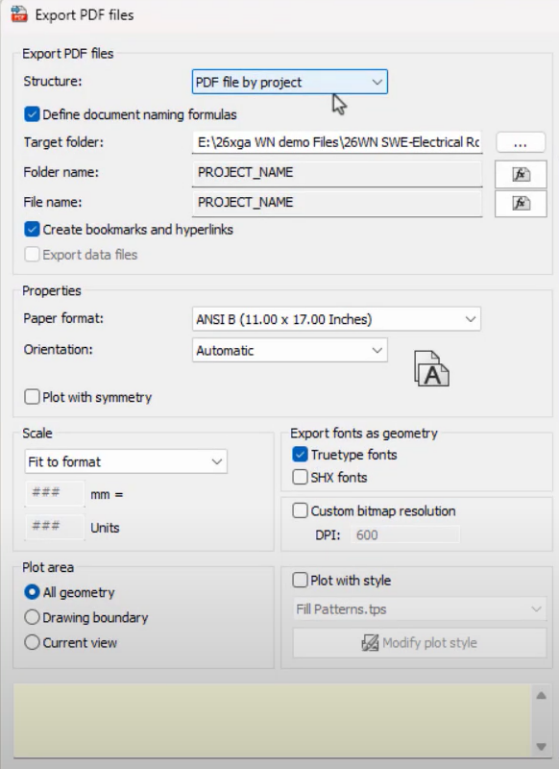
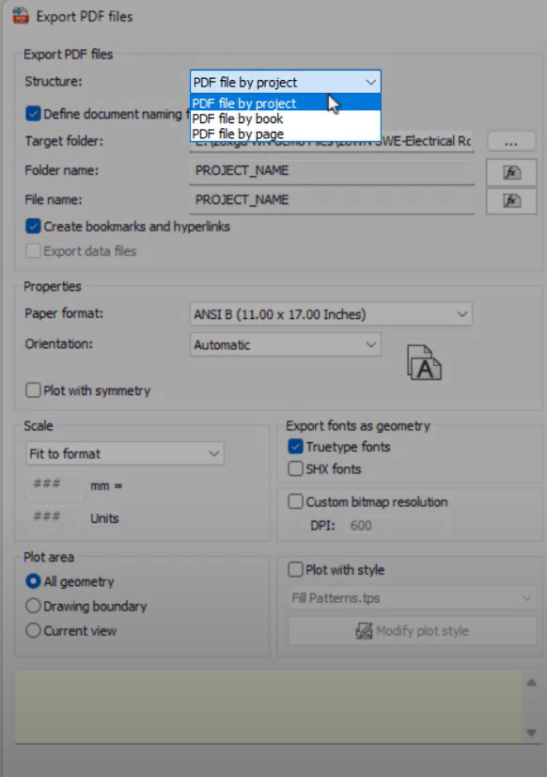
Choose Export Scope
- Select whether you want to export:
- Pdf file by project
- Pdf file by book
- Pdf file by page
- Tailor exports for clients, internal review, or production.
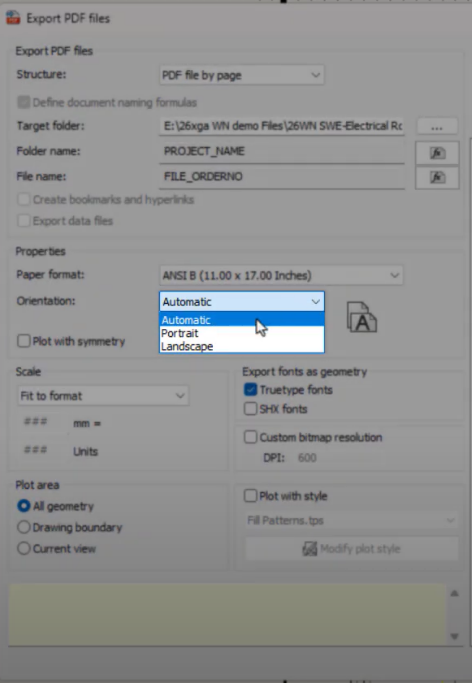
Configure Page Layout
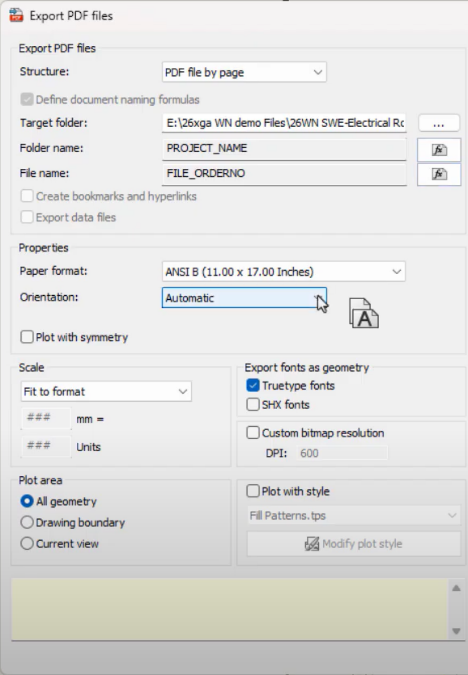
- Enable Automatic Page Orientation to ensure diagrams fit correctly.
- Adjust page size and margins if needed.
- Preview the layout in the dialog box before exporting.
Customize Content
- Choose which elements to include:
- Wires and cable lists
- Terminals
- Components
- Add header/footer information such as project name, date, and version number.
Export PDF
- Click Export.
- The system generates a high-quality PDF in the chosen folder.
- Review the PDF to ensure all schematics and documentation are included correctly
Benefits of Enhanced PDF Export
- Save time with batch export and templates
- Reduce errors and miscommunication with standardized outputs
- Deliver professional-quality schematics for clients or manufacturing teams
- Simplify collaboration across teams, especially for remote work
Summary
The Enhanced PDF Export Flexibility in SOLIDWORKS Electrical 2026 empowers electrical designers to quickly generate professional, accurate, and client-ready documentation. With options to export entire projects, individual books, or selected pages, automatic page orientation, content customization, and template saving, this feature saves time, reduces errors, and ensures consistent outputs. When combined with other 2026 enhancements like dynamic connector insertion and advanced cable management, your electrical designs become fully optimized for production, review, and collaboration.