
In Mold, die, and manufacturing workflows, repetitive programming tasks consume a lot of valuable time. Cimatron solves this with Automation Templates—a powerful feature that lets you save machining strategies, reapply them to similar jobs, and standardize processes across projects.
Below is a step-by-step guide to understanding, creating, and applying Automation Templates in Cimatron.
Understand What Automation Templates Are
Automation Templates are predefined machining strategies that include toolpaths, cutting conditions, feeds, speeds, and approach methods. Instead of manually programming each time, you can store your best practices and reuse them with just a few clicks.
- Reduce programming time by up to 50–70% on repeated part types.
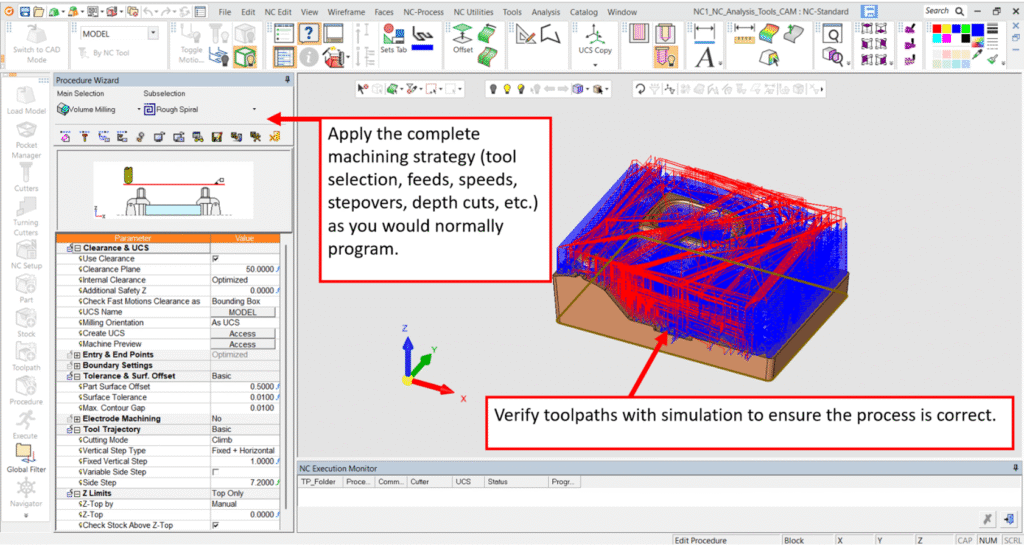
Step 1: Prepare the First Part
- Open your part file in Cimatron CAM.
Step 2: Save the Strategy as a Template
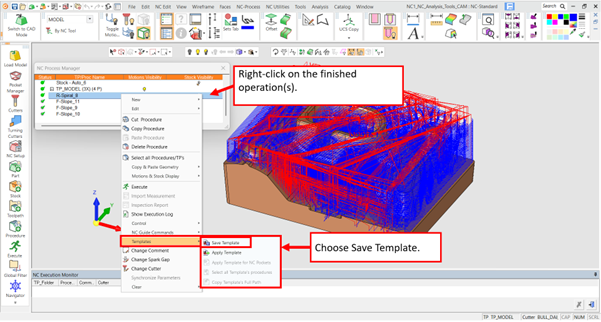
- Once your machining setup is ready, go to the Operation Tree.
- Give the template a clear name (e.g., Face Mill, 2D Pocket Roughing, Mold Base Finishing).
- Store it in the Template Library for reuse.
Step 3: Organize Templates in Library
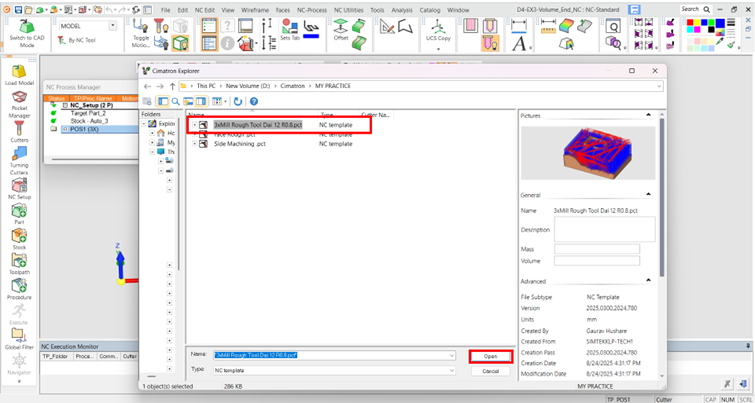
- Cimatron lets you create folders to organize templates.
- Example: Roughing, Finishing, Drilling, Electrodes.
- This ensures fast retrieval when programming similar jobs.
Step 4: Apply a Template to a New Part
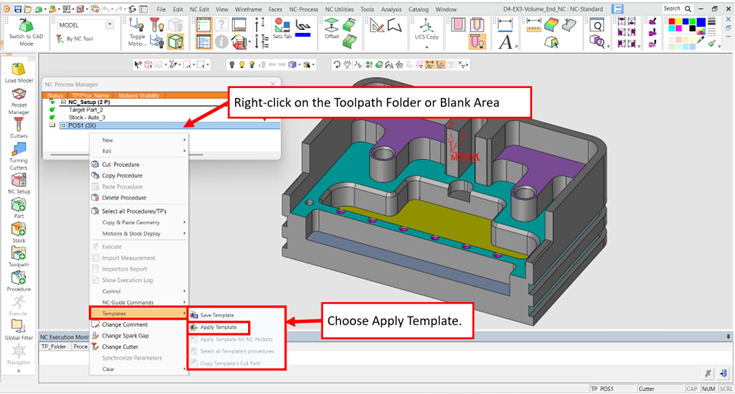
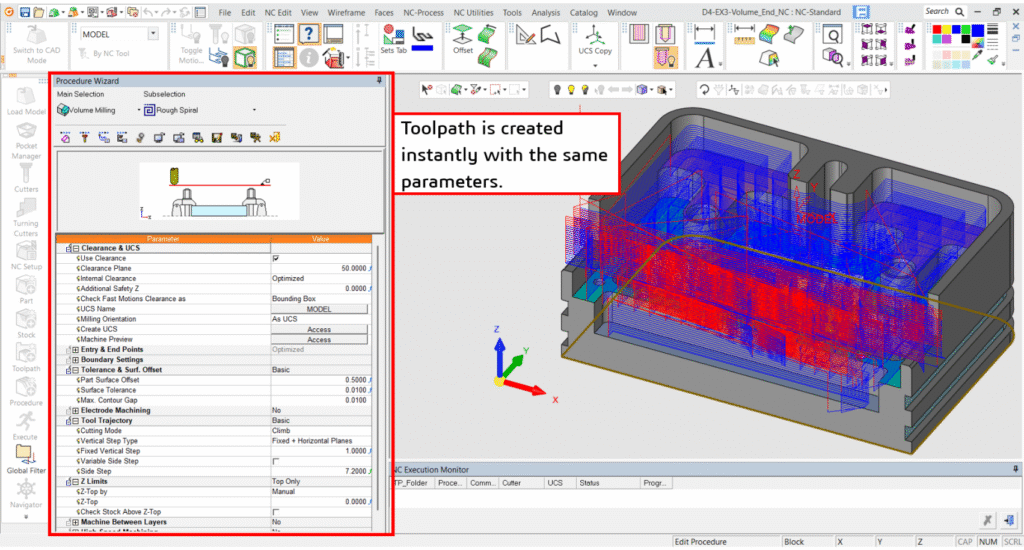
- Open a new part in Cimatron CAM
Step 5: Adjust if Needed
- You can fine-tune feeds, speeds, or tools if the material or machine is different.
- The template ensures the strategy is consistent but still allows flexibility.
Step 6: Verify and Simulate
- Run a toolpath simulation to confirm accuracy.
- Check for collision, gouge, or excess stock removal.
- If everything is fine, proceed to post-process.
Step 7: Post Process and Save
- Generate the NC code with the machine-specific post processor.
- Save the project and keep the template for future jobs.
Key Benefits of Automation Templates
- Speed: Cuts down programming time for repeated features.
- Consistency: Ensures all programmers use the same machining standards.
- Error Reduction: Less manual input means fewer mistakes.
- Scalability: Supports team collaboration with shared template libraries.
- Flexibility: Can be updated as machining technology evolves.
Conclusion
Cimatron advanced features are designed to save time, increase precision, and standardize workflows in mold, die, and manufacturing environments. From automation tools Automation Templates to powerful machining strategies like HSM and 5-axis support, Cimatron empowers manufacturers to achieve higher productivity with fewer errors.
If you’re looking for an advanced, integrated, and user-friendly CAM platform, Cimatron CAM is the right choice.