
Introduction:
DraftSight’s BIM (Building Information Modelling) module offers a powerful set of tools for architects, engineers, and construction professionals to work with BIM files in a 2D and 3D environment efficiently. One of the most important features in this module is the Plan option, which allows users to extract and generate precise floor plans from imported BIM models such as IFC or RVT files. This blog will guide you through how the Plan option works and how it can be leveraged to create detailed architectural plans quickly and accurately.
What is the BIM Module in DraftSight?
The BIM module in DraftSight enables users to import, navigate, and extract drawings from 3D BIM models. It turns BIM data into usable CAD drawings without requiring a separate BIM authoring tool. You can generate sections, elevations, and most importantly, floor plans using predefined tools.
Step-by-Step Guide: Creating a Plan in the DraftSight BIM Module:
Step 1: Import Your BIM File
- Open DraftSight.
- Go to File > Import > BIM File.
- Select your IFC or RVT file.
- The BIM model will load into the graphical area.
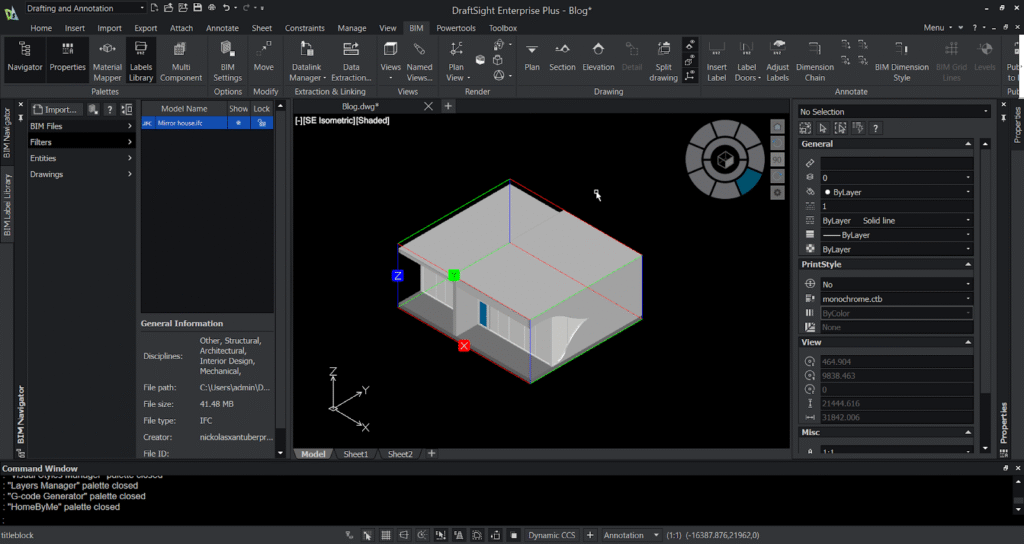
Step 2: Choose the Plan Option
- In the BIM Navigator, click on Generate Drawing.
- Select Plan from the available options (Plan, Section, Elevation).
- Choose the floor level for which you want to generate the plan.
- Define the cut plane height.
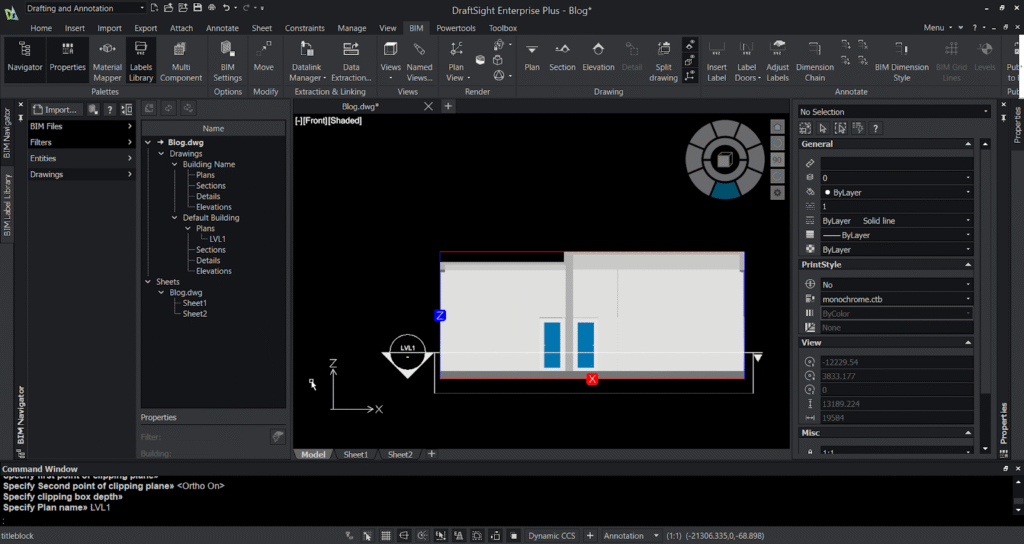
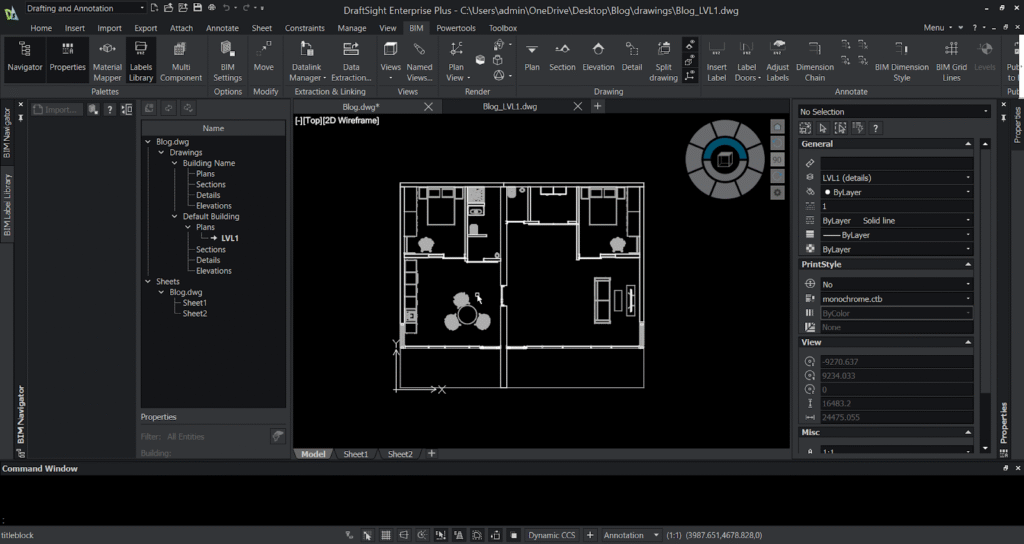
Step 3: Place the Plan in Model or Sheet Space
DraftSight gives you two options:
- Model Space – For editing and refinement
- Sheet Space – For creating ready-to-print drawings with title blocks and annotations
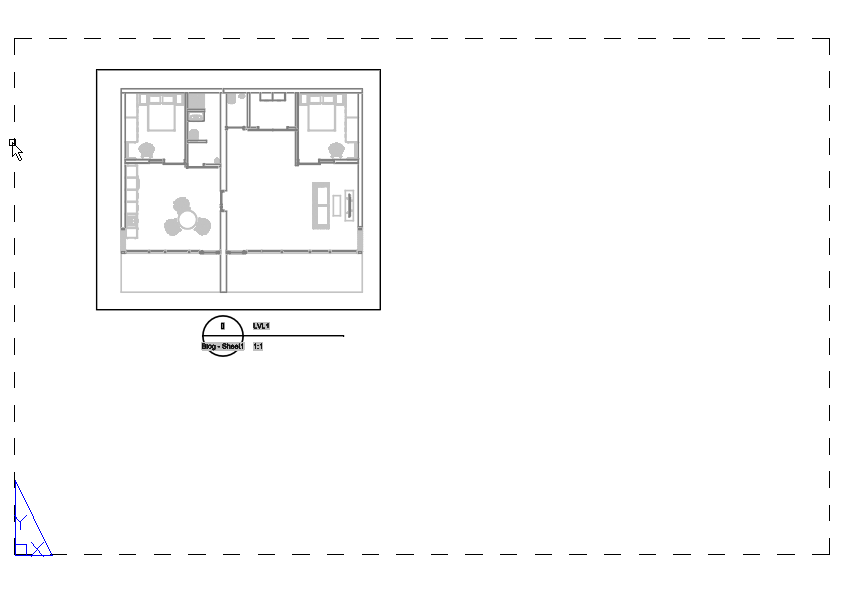
Step 4: Extract your data using data extraction
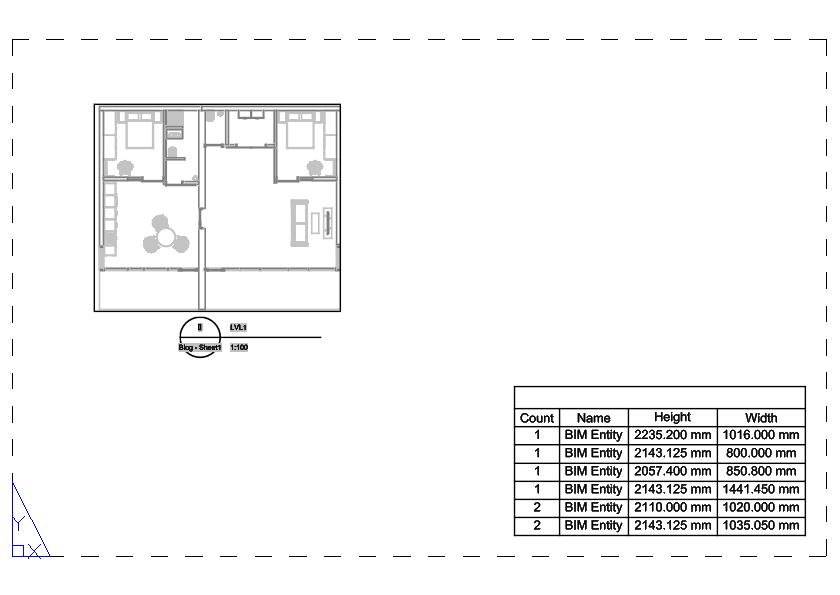
- You can use data extraction to extract your data from the drawing created.
- Select the filter option and select the options you want to extract .
- After the table of the data is created place it in your drawing.
- And now your “.rvt”/”.ifc” file can be ready to export with the data and drawing you needed.
Conclusion
The Plan option in DraftSight’s BIM module is a game-changer for professionals who need accurate and quickly generated architectural drawings. Whether you are working on new construction, renovation, or facility layout projects, this feature helps you convert complex BIM data into clear and customizable 2D plans. By mastering this tool, you can dramatically enhance productivity and streamline your BIM-to-CAD workflow.
Start using the Plan option today and experience how DraftSight transforms your BIM documentation process!