
What’s New in SOLIDWORKS 2027? AI, CAD & Engineering Updates
Discover the latest SOLIDWORKS 2027 features, including AI-powered design assistance, imported geometry conversion, Variability Tables, sheet metal enhancements, smarter drawings and improved engineering workflows.
SOLIDWORKS 2027 is taking 3D CAD further with intelligent design tools, automation, improved modeling capabilities and stronger connections between design and engineering workflows.
Important: SOLIDWORKS 2027 Preview
SOLIDWORKS 2027 capabilities are being previewed ahead of the final production release. Some features may change in functionality, naming or availability before the final release.
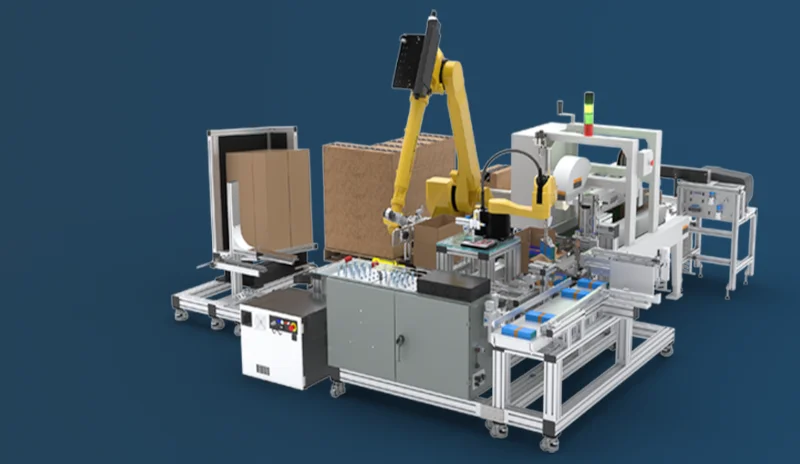
What Is New in SOLIDWORKS 2027?
The biggest theme of SOLIDWORKS 2027 is intelligent engineering. The latest capabilities focus on reducing repetitive CAD work, improving imported model workflows, simplifying product configuration and helping engineers create documentation faster.
- AI-powered imported geometry conversion
- AI Drawing Generation
- Variability Tables
- Chord Width Fillet option
- Sheet Metal Stamp on Bend
- Improved assembly performance and engineering guidance
- Enhanced 3DEXPERIENCE content access
- More intelligent engineering workflows
1. SOLIDWORKS 2027 Brings AI Deeper Into CAD
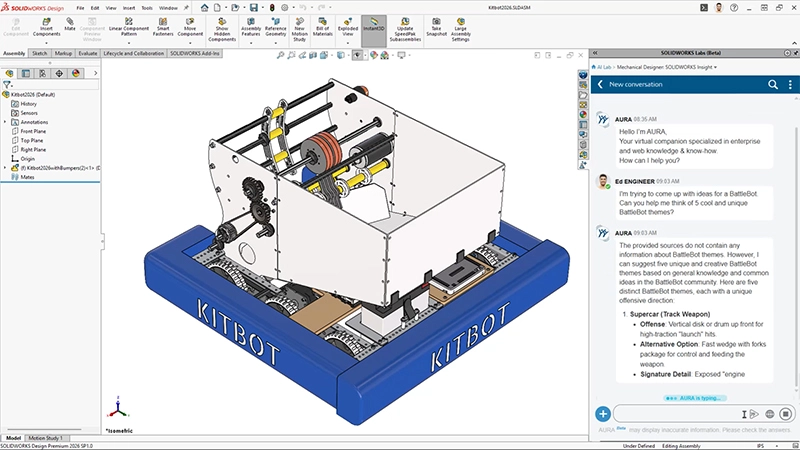
Artificial intelligence is one of the most important developments surrounding SOLIDWORKS 2027.
Rather than treating AI as a separate application, SOLIDWORKS is integrating AI capabilities into engineering workflows. The objective is to automate repetitive tasks, provide engineering assistance and help designers move faster from design intent to finished engineering output.
AI + Human Engineering
SOLIDWORKS AI is designed to assist engineers rather than replace them. The engineer remains responsible for design decisions while AI helps automate repetitive activities, provide recommendations and accelerate workflows.
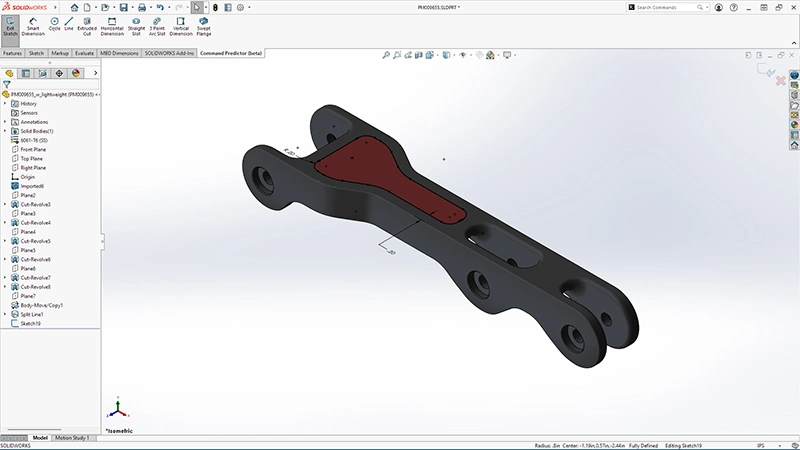
2. Convert Imported Geometry Into Parametric CAD With AI
Engineers frequently receive STEP and IGES files from suppliers, customers, legacy systems and other CAD platforms. One challenge is that imported models often do not contain the original feature history.
SOLIDWORKS has previewed an AI-based capability designed to convert imported STEP and IGES geometry into editable, feature-based SOLIDWORKS parts.
This can potentially reduce the time required to recreate imported models manually and make supplier or legacy geometry easier to modify.
- Reduce repetitive remodeling work
- Reuse supplier CAD data more efficiently
- Make legacy geometry easier to modify
- Reduce engineering time
- Improve design reuse
3. AI-Powered Drawing Generation
Creating manufacturing drawings can be repetitive, particularly when engineers need to document a large number of parts and assemblies.
SOLIDWORKS has highlighted AI Drawing Generation, where users can interact with the LEO AI companion to generate drawings from their models.
Users can specify requirements such as the drawing template, standards, primary view and other documentation requirements. The generated output can then be refined using prompts.
4. Variability Tables for Flexible Product Designs
Many manufacturers produce product families where dimensions, features and options change according to customer requirements. Managing these variations manually can become complicated.
Variability Tables are designed to define product variability using variants, options and numerical parameters that can drive model dimensions and features.
This can help engineers manage structured product variations without manually modifying every level of a complex design.
Why Variability Tables Matter
For manufacturers creating multiple configurations from a common product platform, structured variability can reduce repetitive engineering work and improve consistency.
5. New Chord Width Fillet Option
SOLIDWORKS 2027 also highlights a new Chord Width option for Constant Size Fillets.
Fillets are used throughout mechanical design. Having another way to control the resulting geometry can provide designers with greater control over design intent and modeling results.
6. Improved Sheet Metal Design With Stamp on Bend
Sheet metal designers can also benefit from the highlighted Stamp on Bend capability.
The capability allows stamped geometry to be created directly on bend regions of sheet metal parts. This can reduce workarounds and better represent manufactured sheet metal features.
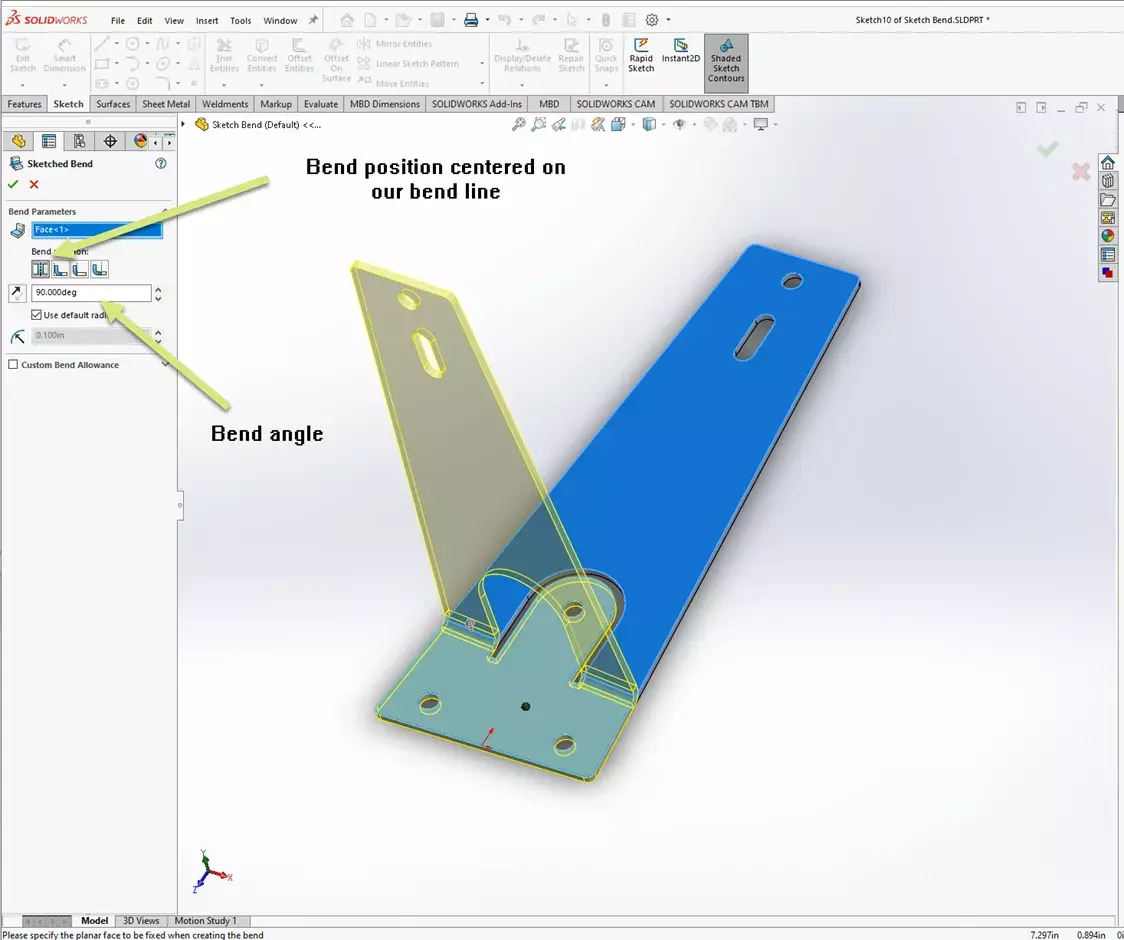
These enhancements can be particularly useful for industries such as automotive, industrial equipment, machinery, electrical equipment and product manufacturing.
7. Smarter Assembly Performance and Engineering Guidance
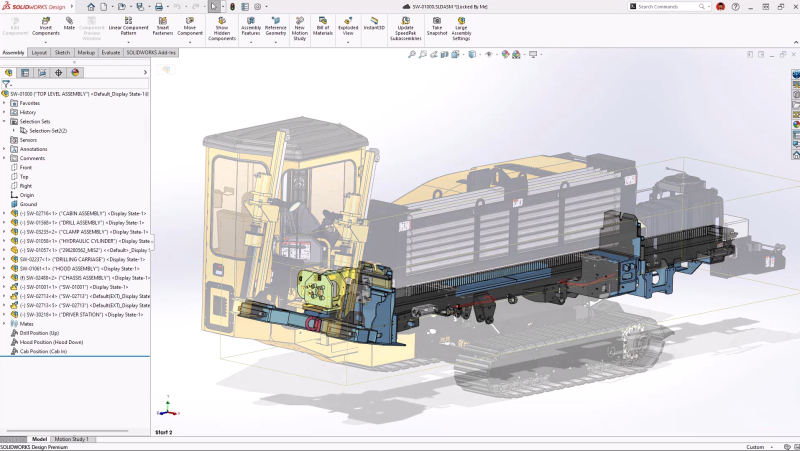
Large assemblies can become challenging as the number of components, mates, configurations and detailed geometry increases.
SOLIDWORKS continues to focus on assembly performance and engineering guidance to help users understand potential performance issues.
AI-assisted engineering workflows can help users identify potential problems and understand possible ways to improve assembly performance.
8. Better Collaboration and Data Management
Modern engineering teams rarely work in isolation. CAD data needs to move between engineers, manufacturing teams, suppliers, project managers and other stakeholders.
SOLIDWORKS continues to strengthen its connection with the 3DEXPERIENCE platform, providing improved ways to access, organize and collaborate on engineering data.
One highlighted capability is Content Explorer in SOLIDWORKS Design, which allows users to browse and open 3DEXPERIENCE platform content through the SOLIDWORKS Open dialog.
9. SOLIDWORKS 2027 Is More Than a CAD Upgrade
The most important thing about SOLIDWORKS 2027 is that the release direction is not simply about adding more modeling commands.
The broader direction combines:
- 3D CAD
- Artificial Intelligence
- Automation
- Engineering Intelligence
- Collaboration
- Data Management
This makes SOLIDWORKS 2027 particularly relevant for engineering organizations looking to improve their complete product development workflow instead of simply upgrading their CAD software.
Why Should You Upgrade to SOLIDWORKS 2027?
The right time to upgrade depends on your current SOLIDWORKS version, engineering workflow and business requirements.
SOLIDWORKS 2027 may be particularly valuable for organizations that:
- Work with complex assemblies
- Frequently modify imported CAD models
- Create large numbers of manufacturing drawings
- Manage multiple product configurations
- Design sheet metal components
- Want to automate repetitive CAD tasks
- Need stronger engineering collaboration
- Want to introduce AI into product development
Looking to Upgrade to SOLIDWORKS 2027?
SIMTEK – Authorised SOLIDWORKS reseller in Tamil Nadu and Kolhapur can help your organization evaluate SOLIDWORKS solutions based on your design, manufacturing, simulation, collaboration and data management requirements.
Explore SOLIDWORKS 3D CAD, Simulation, Electrical, CAM, Visualize, Composer, Inspection, PDM and 3DEXPERIENCE Works solutions with professional guidance, training and technical support.
Talk to a SOLIDWORKS ExpertFrequently Asked Questions About SOLIDWORKS 2027
SOLIDWORKS 2027 highlights include Variability Tables, Chord Width Fillets, Sheet Metal Stamp on Bend, AI-powered imported geometry conversion, AI Drawing Generation and improved 3DEXPERIENCE content access.
Yes. AI is a major part of the latest SOLIDWORKS development direction. AI capabilities are being used to assist with imported geometry, drawing generation, engineering guidance and other repetitive design tasks.
SOLIDWORKS has previewed an AI-based capability designed to convert imported STEP and IGES geometry into feature-based, editable SOLIDWORKS parts. Final availability and functionality should be confirmed with the production release.
Yes. One of the highlighted SOLIDWORKS 2027 capabilities is Stamp on Bend, which allows stamped geometry to be created on bend regions of sheet metal parts.
If your organization works with complex assemblies, imported CAD data, product variants, manufacturing drawings or repetitive engineering tasks, the new capabilities may provide meaningful productivity benefits. Your upgrade decision should be based on your current version and specific workflow requirements.
Final Thoughts
SOLIDWORKS 2027 represents another important step toward AI-assisted engineering and smarter product development.
The combination of AI-powered design assistance, imported geometry conversion, drawing generation, Variability Tables, improved sheet metal workflows, assembly guidance and enhanced collaboration can help engineering teams reduce repetitive work and accelerate product development.
The biggest change is not necessarily one individual feature. It is the increasing integration of AI and automation into everyday CAD workflows.
For engineers and manufacturers, the future of SOLIDWORKS is moving beyond simply creating 3D models. It is becoming a more intelligent engineering environment designed to help teams design faster, make better decisions, collaborate more effectively and bring products to market sooner.
If you want to explore SOLIDWORKS 2027 and understand which features can benefit your engineering workflow, contact SIMTEK – Authorised SOLIDWORKS reseller in Tamil Nadu and Kolhapur for product guidance, demonstrations, licensing, training and technical support.