
5 SOLIDWORKS 2027 Features That Could Save Engineers Hours Every Week
From AI-powered drawing generation to smarter imported CAD workflows, SOLIDWORKS is moving toward a more intelligent and productive engineering experience.
Engineers rarely lose time because they cannot design. They lose time because modern product development contains hundreds of repetitive tasks: rebuilding imported models, preparing drawings, modifying product variants, adjusting fillets and creating manufacturing-ready sheet metal geometry.
That is why the latest SOLIDWORKS 2027 developments are attracting attention. The focus is increasingly moving beyond simply adding more CAD commands. The bigger objective is to make everyday engineering workflows faster, more intelligent and less repetitive.
For engineering companies, even saving 15 or 20 minutes on a task that happens dozens of times every month can create a meaningful productivity gain. Here are five SOLIDWORKS capabilities that could make a difference to engineers working in mechanical design, manufacturing, machinery, automation and product development.
AI-Powered Drawing Generation with LEO
Creating manufacturing drawings is one of the most important — and often most repetitive — parts of the engineering workflow. Engineers may need to create views, select templates, arrange annotations, add dimensions and prepare documentation before a design can move to manufacturing.
SOLIDWORKS has introduced AI-powered drawing generation that allows engineers to communicate drawing requirements to the SOLIDWORKS AI companion, LEO. Users can define the drawing template, standards and primary view, refine the preview through prompts and generate the drawing according to their requirements.
For engineering teams producing large numbers of part and assembly drawings, this type of automation could become particularly valuable. It does not remove the need for engineering review; instead, it can reduce the amount of manual preparation before the engineer reviews and finalizes the document.
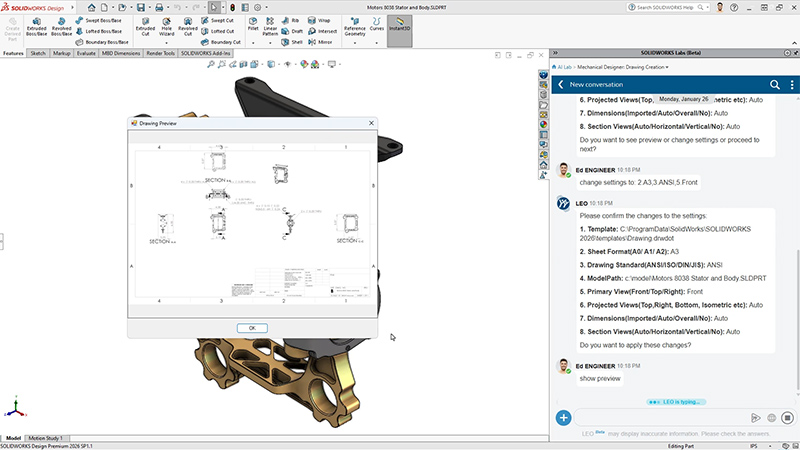
AI-assisted drawing generation can reduce repetitive manufacturing documentation tasks.
AI-Powered Imported Geometry to Parametric CAD
Every engineering organization eventually receives CAD data that was not created in its own SOLIDWORKS environment. Supplier models, customer files, legacy designs and neutral CAD formats such as STEP and IGES are common in real-world engineering workflows.
The problem is that imported geometry can be difficult to edit compared with a native feature-based SOLIDWORKS model. Engineers may spend significant time rebuilding features just to make a small design change.
SOLIDWORKS has previewed AI-powered conversion of imported STEP and IGES models into editable, feature-based SOLIDWORKS parts. This could reduce the need to manually reconstruct an imported model from the beginning.
This is especially relevant for companies involved in supplier integration, reverse engineering, legacy product development and design migration.
Variability Tables for Configurable Product Design
Manufacturers frequently create families of products rather than a single design. A machine may have different frame sizes. A component may be available in multiple lengths. A product may have several configurations based on customer requirements.
Managing these variations manually can create unnecessary work and increase the possibility of design inconsistencies.
Variability Tables provide a structured way to define variants, options and numerical parameters that drive model dimensions and features. This can make configurable product design easier to organize and manage.
For machinery manufacturers, automation companies and businesses producing configurable products, this approach can be especially useful because one base model can support multiple product variants.
Important: Variability Tables are highlighted on the SOLIDWORKS 2027 Preview page, but SOLIDWORKS' 2027 prerelease notes clarify that Variability Table and User-Defined Variability capabilities were released in the 2026 FD04 update. They should therefore be viewed as part of the evolving SOLIDWORKS workflow rather than claimed as entirely new 2027 functionality.
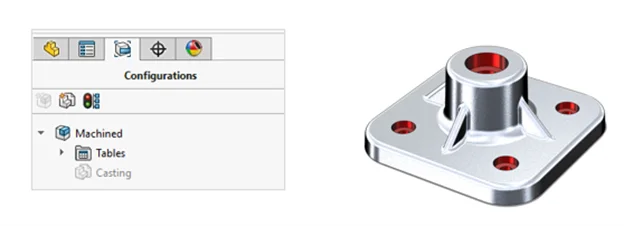
Variability Tables can help engineering teams manage configurable product families more systematically.
Chord Width Fillets for Better Design Control
Fillets may appear to be a small part of mechanical CAD, but engineers use them constantly. When a design contains many curved edges or specific appearance and manufacturing requirements, controlling fillet geometry can become surprisingly time-consuming.
The SOLIDWORKS 2027 Preview introduces a Chord Width option for Constant Size Fillets. This gives designers another method of controlling fillet geometry and can provide greater control over design intent.
For engineers working on complex mechanical components, housings, consumer products or industrial equipment, seemingly small modeling improvements can add up over hundreds of design operations.
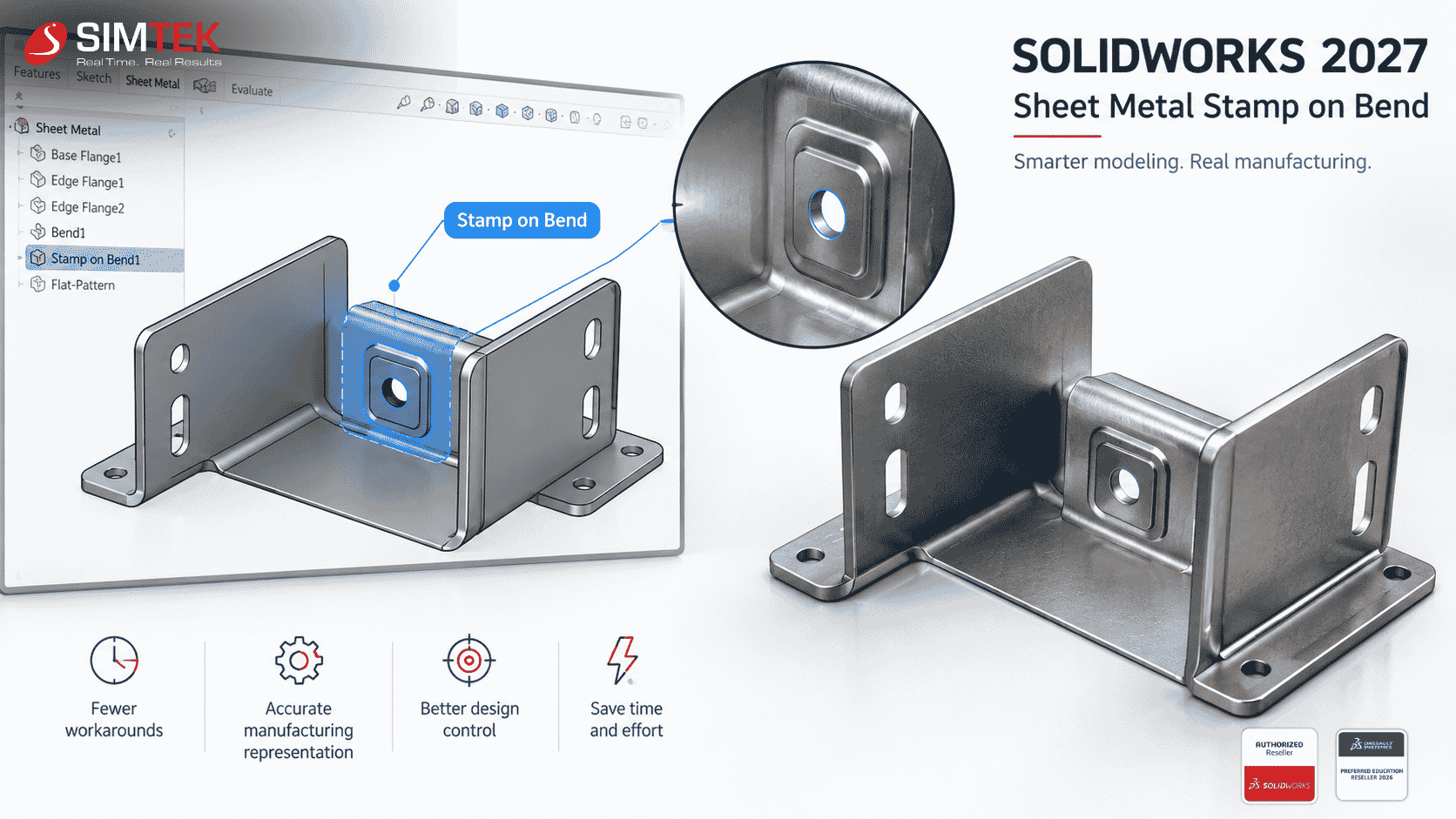
Sheet Metal Stamp on Bend
Sheet metal engineering requires designers to think beyond the 3D shape. The model must also represent how the component will actually be manufactured, bent, stamped and fabricated.
SOLIDWORKS 2027 Preview introduces Stamp on Bend, which allows stamped geometry to be created directly on bend regions of sheet metal parts.
Previously, certain workflows could require additional steps or workarounds to represent these manufacturing features. A more direct workflow can help designers create models that better represent the intended manufactured part.
This can be valuable for sheet metal fabricators, enclosure manufacturers, machine builders and engineering teams developing brackets, panels and formed components.
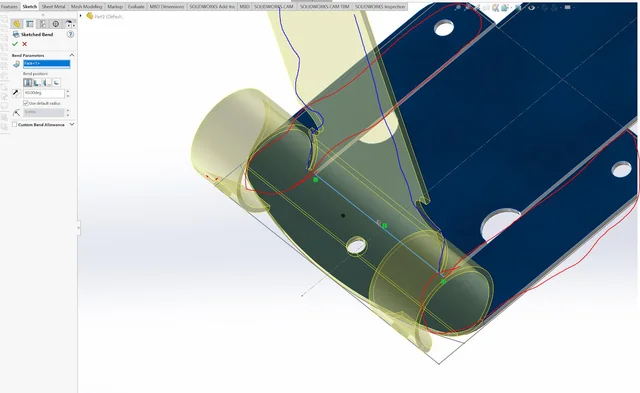
Stamp on Bend is designed to simplify the modeling of stamped features on sheet metal bend regions.
Why These SOLIDWORKS 2027 Developments Matter
The real value of these capabilities is not measured by the number of new commands added to a toolbar. It is measured by how much repetitive work they can remove from an engineer's week.
Consider an engineer working on a configurable machine. The same person may receive supplier STEP files, modify several configurations, create manufacturing drawings and prepare sheet metal components.
If each individual task becomes slightly faster, the combined effect can be substantial. The goal is not necessarily to save several hours with one button. The bigger opportunity is to eliminate small repetitive tasks throughout the entire product development process.
Will SOLIDWORKS 2027 Replace Engineers?
No. AI-assisted CAD is better understood as an engineering productivity tool rather than an engineer replacement.
Engineers still need to determine whether a design is manufacturable, structurally appropriate, cost-effective and compliant with project requirements. AI can help with repetitive preparation and modeling tasks, but engineering judgment remains essential.
The emerging workflow is therefore closer to:
That distinction is important. The future of CAD is not about removing engineers from the process. It is about allowing engineers to spend less time on repetitive software operations and more time solving actual engineering problems.
What Should Engineering Companies Do Now?
Companies considering SOLIDWORKS 2027 should look beyond the feature list. The better approach is to identify where engineers currently spend the most repetitive time.
- Are engineers spending too much time creating drawings?
- Do teams frequently rebuild imported STEP or IGES models?
- Does your product range contain many configurations?
- Do designers repeatedly adjust complex fillets?
- Are sheet metal designs dependent on modeling workarounds?
If the answer to several of these questions is yes, the new and evolving SOLIDWORKS capabilities may have a measurable impact on productivity.
SOLIDWORKS 2027: The Productivity Trend to Watch
The biggest trend around SOLIDWORKS 2027 is not simply another collection of CAD commands. It is the gradual integration of AI, automation and design intelligence into everyday engineering workflows.
AI-assisted drawing generation and imported-geometry conversion are particularly important because they address tasks that have traditionally required significant manual intervention. At the same time, modeling improvements such as Chord Width Fillets and Stamp on Bend show that conventional CAD workflows continue to evolve.
For engineering companies, the opportunity is straightforward: identify repetitive work, determine where automation can help and train engineers to use these capabilities effectively.
Get SOLIDWORKS Support in Tamil Nadu & Kolhapur
If your organization is evaluating SOLIDWORKS, planning an upgrade or looking to improve engineering productivity, the right implementation and training approach can be just as important as the software itself.
SIMTEK – Authorised SOLIDWORKS Reseller in Tamil Nadu and Kolhapur supports engineering companies, manufacturers, designers and educational institutions with SOLIDWORKS software solutions, implementation, training and technical support.
With 27+ years of experience, 2,000+ clients and more than 100,000 students trained, SIMTEK helps organizations adopt SOLIDWORKS and related engineering technologies according to their specific workflows.
Want to Find Out How SOLIDWORKS Can Improve Your Engineering Workflow?
Talk to SIMTEK about SOLIDWORKS solutions, licensing, training, implementation and engineering productivity.
Request a ConsultationFrequently Asked Questions About SOLIDWORKS 2027
What are the key SOLIDWORKS 2027 features?
The SOLIDWORKS 2027 Preview highlights Variability Tables, Chord Width Fillets and Sheet Metal Stamp on Bend, along with recently released AI-powered capabilities such as imported geometry conversion and AI Drawing Generation.
Does SOLIDWORKS 2027 use AI?
Yes. SOLIDWORKS is expanding AI-assisted workflows, including AI-powered drawing generation and conversion of imported STEP and IGES geometry into editable feature-based SOLIDWORKS models.
Can SOLIDWORKS AI create drawings?
SOLIDWORKS has an AI-powered drawing generation capability that allows users to define drawing requirements, templates, standards and views before generating the drawing.
Can SOLIDWORKS convert STEP files into editable models?
SOLIDWORKS has introduced AI-powered conversion of imported STEP and IGES geometry into feature-based SOLIDWORKS models, reducing the need to manually rebuild imported designs.
Is SOLIDWORKS 2027 worth upgrading to?
The value of upgrading depends on your workflows, current SOLIDWORKS version and engineering requirements. Companies that spend significant time on drawings, imported geometry, product variations or sheet metal modeling should evaluate the new capabilities against their own workflows.