
10 SOLIDWORKS 2027 Features That Could Change Your CAD Workflow
SOLIDWORKS 2027 brings AI-assisted engineering, smarter modeling, assembly improvements, faster documentation and connected data workflows that could change how engineers approach everyday CAD work.
The way engineers use CAD is changing. Traditional CAD workflows often involve repetitive modeling, manual drawing creation, imported geometry cleanup, assembly management and time-consuming documentation. SOLIDWORKS 2027 takes aim at several of these challenges with hundreds of enhancements across design, artificial intelligence, assemblies, drawings, collaboration, simulation, PDM and more.
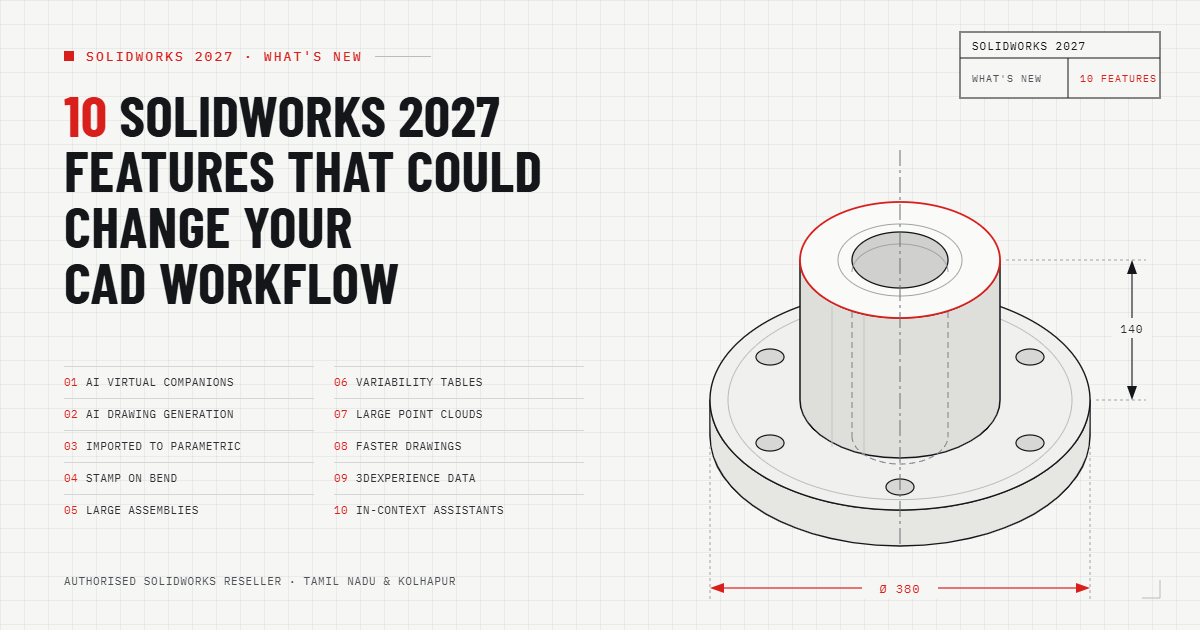
What Makes SOLIDWORKS 2027 Different?
SOLIDWORKS describes the 2027 release as a major collection of customer-driven enhancements spanning Design, AI, PDM, Simulation, Electrical, DraftSight and connected workflows. The official release information highlights both traditional CAD improvements and newer AI-powered capabilities. :contentReference[oaicite:2]{index=2}
For engineers, this means the practical question is no longer simply "What's new in SOLIDWORKS 2027?" It is: "Which new capabilities can actually remove steps from my current workflow?"
01 AI-Assisted CAD and Virtual Companions
Artificial intelligence is one of the biggest themes in SOLIDWORKS 2027. SOLIDWORKS AI Virtual Companions are designed to provide assistance directly inside the engineering environment rather than forcing users to switch between unrelated tools.
The 2027 AI direction covers areas such as intent-to-CAD, design validation, engineering guidance, manufacturing documentation and assembly optimization. These capabilities are intended to reduce repetitive tasks and provide assistance during different stages of product development. :contentReference[oaicite:3]{index=3}
For engineers, the potential workflow change is significant: AI can become part of the CAD process instead of being a separate research or productivity tool.
02 AI-Powered Drawing Generation
Creating manufacturing drawings can involve a surprising amount of repetitive work. Views, templates, annotations and drawing requirements often need to be prepared manually.
SOLIDWORKS 2027 introduces AI drawing generation capabilities through its AI companion workflow. Users can communicate requirements, specify drawing templates and views, refine the generated result and save the drawing. SOLIDWORKS has highlighted this capability as part of its AI enhancements. :contentReference[oaicite:4]{index=4}
This could be especially useful for engineering teams producing large quantities of documentation from standardized design processes.
03 Convert Imported Geometry into Parametric CAD
Imported STEP and IGES files have traditionally created challenges when engineers need editable feature-based models.
SOLIDWORKS 2027 introduces an AI-assisted workflow for converting imported geometry into editable, feature-based SOLIDWORKS parts. This can be useful when working with supplier models, legacy CAD data or geometry received from customers. :contentReference[oaicite:5]{index=5}
Instead of automatically rebuilding every feature from scratch, engineers can potentially use the converted model as a starting point for further design modifications.
04 Sheet Metal Stamp on Bend
Sheet metal designers regularly encounter situations where manufactured features need to be represented accurately on bend regions.
SOLIDWORKS 2027 adds the ability to create stamped geometry directly on sheet metal bend regions. This reduces workaround steps and makes the digital model closer to the intended manufactured component. :contentReference[oaicite:6]{index=6}
For fabrication and sheet metal teams, small modeling improvements like this can matter because they remove unnecessary feature-building steps from everyday part creation.
05 Smarter Large Assembly Management
Large assemblies can become difficult to organize as designs grow. More components, mates and configurations can increase the amount of manual management required from designers.
SOLIDWORKS 2027 introduces enhancements that allow related mated components to be grouped into manageable collections without necessarily creating formal subassemblies. It also adds tools for top-level parameter control and automatic detection of fastener clusters. :contentReference[oaicite:7]{index=7}
The result is a workflow that can make large assemblies easier to organize, configure and maintain.
06 Variability Tables for Configurable Products
Many manufacturers build families of products where dimensions, options and features change between variants. Managing these variations manually can create unnecessary rework.
SOLIDWORKS 2027 introduces Variability Tables that allow users to define product variability using variants, options and numerical parameters that drive model dimensions and features. :contentReference[oaicite:8]{index=8}
For configurable products, this approach can make design reuse more structured and reduce repeated manual edits across product variations.
07 Large Point Cloud Data with Color
Reverse engineering and 3D scanning workflows can generate enormous quantities of point-cloud data. Handling these datasets efficiently is important when engineers need to compare physical products with CAD models.
SOLIDWORKS 2027 includes the ability to import large point-cloud data with color. This enhancement is listed among the major SOLIDWORKS Design 2027 improvements. :contentReference[oaicite:9]{index=9}
This can be particularly relevant to teams working with 3D scanning, inspection, reverse engineering and physical-to-digital workflows.
08 Faster and More Consistent Drawing Workflows
Engineering documentation is another area receiving practical improvements. SOLIDWORKS 2027 introduces tools that can simplify repetitive drawing and annotation tasks.
For example, identical component instances can receive the same component reference number with a single click. Frequently used annotation symbols can also be saved to a Favorites folder for faster reuse. Ordinate dimensions can be created directly in 3D Model Based Definition workflows. :contentReference[oaicite:10]{index=10}
These may appear to be small enhancements, but documentation teams often benefit significantly from removing repeated clicks from high-volume tasks.
09 More Connected CAD Data with 3DEXPERIENCE
Modern engineering teams increasingly work across designers, departments, suppliers and manufacturing teams. Keeping CAD information accessible and consistent is therefore becoming as important as modeling itself.
SOLIDWORKS 2027 adds collaboration improvements that connect SOLIDWORKS more closely with the 3DEXPERIENCE platform. Content Explorer can provide access to platform content through the SOLIDWORKS Open dialog, while material definitions can be aligned between SOLIDWORKS Design and governed 3DEXPERIENCE platform definitions. :contentReference[oaicite:11]{index=11}
For companies managing distributed engineering data, these improvements can reduce context switching and help teams work with more consistent product information.
10 In-Context Design and Performance Assistance
Another important direction in SOLIDWORKS 2027 is assistance that works within the design process itself.
SOLIDWORKS highlights In-Context Design and Performance Assistants among the major Design 2027 enhancements. The broader release also focuses on large-assembly performance and workflow guidance. :contentReference[oaicite:12]{index=12}
The importance of this trend is straightforward: engineers increasingly want CAD software to identify problems, provide useful guidance and reduce manual investigation rather than simply provide modeling commands.
Why SOLIDWORKS 2027 Could Become a Major CAD Workflow Trend
The biggest change in SOLIDWORKS 2027 is not one individual feature. It is the combination of AI, automation, connected data and traditional CAD improvements.
For years, CAD productivity was largely about learning commands and shortcuts. The next stage is increasingly about reducing the number of manual decisions and repetitive operations required to reach a finished engineering result.
SOLIDWORKS 2027 reflects that direction through AI Virtual Companions, automated documentation, imported-geometry conversion, assembly assistance, connected data and manufacturing-focused modeling improvements. :contentReference[oaicite:13]{index=13}
Who Should Pay Attention to SOLIDWORKS 2027?
SOLIDWORKS 2027 is particularly relevant to mechanical designers, product development engineers, manufacturing teams, CAD administrators, sheet metal designers, reverse-engineering teams and organizations managing large assemblies.
It can also be relevant to companies looking to introduce AI into their engineering workflows without completely replacing their existing CAD environment.
However, an upgrade should always be evaluated against your actual models, hardware, add-ins, PDM environment, licensing and production requirements. SOLIDWORKS itself recommends staying current for access to compatibility updates, technical support, performance improvements and new capabilities. :contentReference[oaicite:14]{index=14}
SOLIDWORKS 2027: What Should Engineers Test First?
Rather than trying every enhancement at once, engineering teams can start with the workflows that consume the most time.
- Designers: Test AI assistance, imported geometry and modeling improvements.
- Sheet metal teams: Test stamping and bend-related workflows.
- Assembly designers: Evaluate grouping, variability and performance improvements.
- Drafting teams: Test drawing automation and annotation improvements.
- Reverse-engineering teams: Evaluate large point-cloud workflows.
- Engineering managers: Examine collaboration and connected data workflows.
- CAD administrators: Validate compatibility, add-ins, hardware and deployment requirements.
Get SOLIDWORKS 2027 Support in Tamil Nadu & Kolhapur
For organizations planning to evaluate or migrate to the latest SOLIDWORKS release, working with an authorized reseller can help with licensing, installation, training, technical support and workflow adoption.
SIMTEK – Authorised SOLIDWORKS Reseller in Tamil Nadu and Kolhapur supports engineering organizations with SOLIDWORKS solutions, training, implementation and technical assistance.
Whether your team is moving from an older SOLIDWORKS version, evaluating AI-assisted CAD workflows, implementing 3DEXPERIENCE, or looking to improve design productivity, the right implementation approach can be as important as the software itself.
Ready to Explore SOLIDWORKS 2027?
Discover the latest SOLIDWORKS 2027 features and identify which enhancements could fit your engineering workflow.
Talk to a SOLIDWORKS ExpertFrequently Asked Questions About SOLIDWORKS 2027
What are the major new features in SOLIDWORKS 2027?
Major highlights include AI Virtual Companions, AI drawing generation, AI-assisted imported geometry conversion, sheet metal stamping on bends, assembly improvements, Variability Tables, large point-cloud support, drawing enhancements and 3DEXPERIENCE collaboration improvements.
Does SOLIDWORKS 2027 include AI features?
Yes. SOLIDWORKS 2027 includes AI-powered capabilities and Virtual Companions designed to assist with design, validation, engineering guidance, manufacturing documentation and assembly optimization. :contentReference[oaicite:15]{index=15}
Can SOLIDWORKS 2027 convert imported STEP and IGES models?
SOLIDWORKS has highlighted an AI-assisted workflow for converting imported STEP and IGES geometry into editable, feature-based SOLIDWORKS parts. :contentReference[oaicite:16]{index=16}
What is new in SOLIDWORKS 2027 sheet metal?
One notable enhancement is the ability to create stamped geometry directly on sheet metal bend regions, helping designers represent manufactured sheet metal features more directly. :contentReference[oaicite:17]{index=17}
Who should consider SOLIDWORKS 2027?
Mechanical engineers, product designers, CAD teams, manufacturing organizations, sheet metal designers, assembly designers and engineering teams working with connected product data can evaluate the new release against their specific workflows and requirements.
Where can I get SOLIDWORKS 2027 support in Tamil Nadu?
SIMTEK is an Authorised SOLIDWORKS Reseller in Tamil Nadu and Kolhapur, providing SOLIDWORKS licensing, training, implementation and technical support for engineering organizations.