
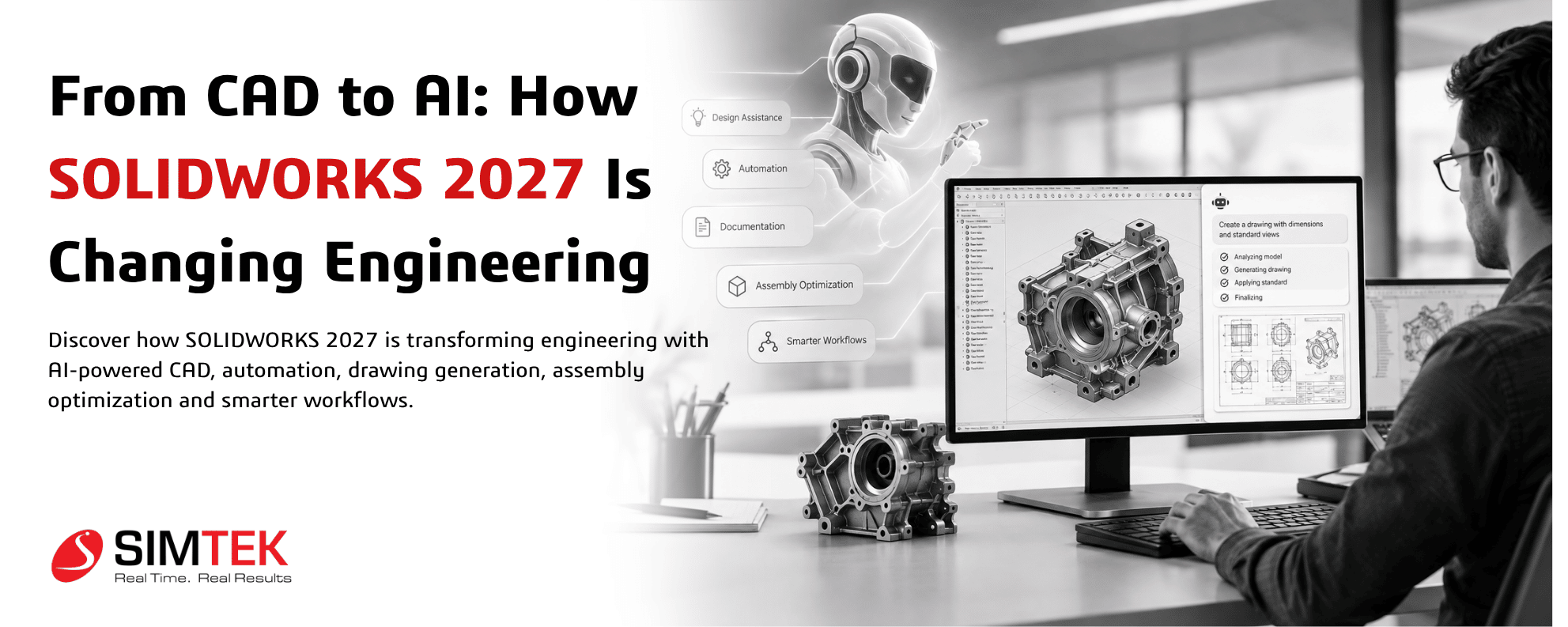
For decades, CAD software has been one of the most important tools in engineering. Engineers use it to create parts, assemblies, drawings and manufacturing documentation. But the engineering workflow has always involved more than simply creating geometry.
Designers spend significant time searching for commands, repairing models, preparing drawings, organizing assemblies, converting imported geometry and managing design data. SOLIDWORKS 2027 represents an important shift because artificial intelligence is becoming part of these everyday engineering workflows.
According to SOLIDWORKS, the 2027 release includes hundreds of enhancements across design, AI, PDM, simulation, electrical, 2D CAD and connected workflows. The company also highlights AI capabilities designed to reduce repetitive work and provide assistance directly inside the engineering environment.
What Is Different About SOLIDWORKS 2027?
The biggest change is not simply another collection of CAD commands. It is the growing connection between engineering intent and intelligent software assistance.
Traditional CAD requires an engineer to know which command to select, which feature to create and how to structure the model. AI-assisted CAD aims to make that interaction more natural. Engineers can increasingly describe what they want, receive guidance, automate repetitive operations and use AI to analyze parts of the workflow.
SOLIDWORKS describes these capabilities through AI Virtual Companions and five broad areas: Intent to CAD, Design Validation, Engineering Guidance, Manufacturing Documentation and Assembly Optimization.
1. From Clicking Commands to Describing Design Intent
One of the most interesting changes in AI-powered CAD is the move toward natural-language interaction.
Instead of relying entirely on menus and command searches, engineers can communicate with AI companions using prompts. This creates a different relationship between the designer and CAD software.
The goal is not to eliminate engineering knowledge. Instead, AI can handle portions of repetitive interaction while the engineer remains responsible for design intent, engineering requirements and final decisions.
This becomes particularly useful when engineers repeatedly perform similar tasks across multiple projects.
2. AI Can Help Turn Imported Geometry Into Parametric CAD
Engineering teams frequently receive STEP, IGES and other imported models from suppliers, customers or legacy projects. Historically, converting this geometry into editable parametric models could require substantial manual work.
SOLIDWORKS 2027 highlights AI-assisted conversion of imported geometry into parametric CAD. This can help engineers bring legacy or supplier geometry into a more editable SOLIDWORKS workflow rather than rebuilding everything from scratch.
For organizations managing years of legacy CAD data, this type of capability could become particularly significant. It connects older design assets with modern parametric workflows and can reduce the amount of repetitive reconstruction involved in design reuse.
3. AI Drawing Generation Changes Documentation Work
Engineering drawings remain essential for manufacturing, inspection and communication. However, preparing drawings can involve repetitive steps involving templates, views, dimensions, annotations and documentation standards.
SOLIDWORKS has introduced AI-powered drawing generation capabilities that allow users to describe drawing requirements through prompts. The workflow can include defining templates, standards and primary views before refining the result.
This illustrates an important direction for AI in engineering: AI is moving beyond design creation into engineering documentation.
Instead of treating drawings as a completely separate manual stage, AI can assist in connecting the 3D model with the documentation required to manufacture and communicate the design.
4. Large Assemblies Can Get Intelligent Assistance
Large assemblies can become difficult to manage as component counts increase. Performance issues, complex relationships and repeated troubleshooting can consume valuable engineering time.
SOLIDWORKS 2027 introduces AI-related capabilities aimed at assembly optimization and performance analysis. SOLIDWORKS also highlights tools that can help engineers identify assembly slowdowns and investigate design changes.
This creates a new possibility: instead of engineers manually searching through an enormous assembly to find performance problems, AI can assist with identifying areas that require attention.
Assembly Analysis
AI-assisted analysis can help identify areas of large assemblies that may be affecting performance and guide engineers toward potential improvements.
Assembly Instructions
AI capabilities can help generate consistent assembly instructions, reducing repetitive documentation work for engineering and manufacturing teams.
Natural-Language Automation
Engineers can use natural-language prompts for certain automation workflows rather than manually constructing every step.
Engineering Guidance
AI Virtual Companions can provide contextual assistance and guidance while engineers work inside the design environment.
5. Natural Language Macro Generation
Automation has always been powerful in CAD, but creating macros often requires additional technical knowledge.
SOLIDWORKS 2027 introduces natural-language macro generation as one of its highlighted AI capabilities. The idea is straightforward: engineers can describe an automation requirement in natural language and use AI assistance to create the corresponding workflow.
For engineering teams that repeatedly perform standardized operations, this could make automation more accessible to users who are not experienced programmers.
The larger trend is important. CAD automation is becoming less dependent on knowing the exact technical syntax required to automate a task.
6. AI Is Moving Into Manufacturing Documentation
Engineering does not end when a 3D model is complete. The design must eventually be communicated to manufacturing.
SOLIDWORKS 2027 connects AI capabilities with manufacturing documentation, including drawing generation and assembly instructions. This creates a more continuous workflow from design concept to production information.
For manufacturing organizations, the value of AI may therefore come from reducing the administrative and repetitive work between engineering stages rather than simply generating a 3D model.
7. AI + Traditional CAD: Engineers Still Stay in Control
A common question about AI-powered engineering software is whether AI will replace CAD engineers.
The current direction of SOLIDWORKS 2027 is better understood as AI-assisted engineering.
The engineer still defines requirements, evaluates design decisions, checks manufacturability, validates performance and approves the final result. AI assists with selected tasks and provides guidance.
This distinction is important because engineering decisions involve safety, materials, tolerances, manufacturing processes, cost, regulations and application-specific requirements.
AI can support those workflows, but engineering responsibility remains with qualified professionals.
8. SOLIDWORKS 2027 Is More Than an AI Update
Although AI is receiving significant attention, SOLIDWORKS 2027 is not only about artificial intelligence.
The release includes improvements across parts, assemblies, drawings, data collaboration, PDM, simulation, electrical design and 2D CAD. Design enhancements include improved sheet metal workflows, assembly management and drawing productivity.
For example, SOLIDWORKS 2027 introduces the ability to create stamped geometry directly on sheet-metal bend regions and includes enhancements for working with imported sheet metal.
These traditional CAD improvements matter because AI becomes more useful when it operates inside a capable engineering platform.
9. 3DEXPERIENCE Makes the Workflow More Connected
Modern engineering teams rarely work in isolation. CAD files move between designers, engineers, manufacturing teams, suppliers and customers.
SOLIDWORKS 2027 adds data collaboration enhancements connected to the 3DEXPERIENCE platform. Engineers can access platform content more naturally from SOLIDWORKS, while material definitions and other information can be aligned across workflows.
This reflects another major engineering trend: the movement from isolated desktop CAD toward connected product development environments.
10. What Does This Mean for Engineers?
For everyday engineering teams, the impact of SOLIDWORKS 2027 can be viewed through five workflow changes:
11. Why AI in CAD Could Become a Major Engineering Trend
The significance of SOLIDWORKS 2027 is not just the individual AI features. It is the direction they represent.
CAD software is gradually moving from being a tool that engineers operate manually toward becoming a more intelligent engineering environment that can understand context, assist with repetitive operations and provide workflow guidance.
This could change how future engineers learn CAD. Instead of spending all their time memorizing commands, engineering professionals may increasingly focus on design intent, problem-solving, validation and decision-making while AI handles portions of the repetitive interaction.
That does not make traditional CAD knowledge irrelevant. In fact, understanding modeling principles, design intent, manufacturing requirements and engineering fundamentals becomes even more important because engineers must know how to evaluate AI-assisted results.
FAQ: Is SOLIDWORKS 2027 an AI CAD Software?
SOLIDWORKS 2027 remains a professional CAD platform, but it now includes a growing set of AI-powered capabilities and Virtual Companions designed to assist engineers with design, documentation, assembly optimization, engineering guidance and automation.
12. Who Should Pay Attention to SOLIDWORKS 2027?
SOLIDWORKS 2027 is particularly relevant for organizations where engineers spend significant time on repetitive design and documentation activities.
- Mechanical engineering teams
- Product design companies
- Automotive and machinery manufacturers
- Industrial automation companies
- Fabrication and sheet-metal companies
- Engineering service providers
- CAD design and consulting teams
- Manufacturing organizations managing legacy CAD data
- Engineering colleges and training institutions
Teams already using SOLIDWORKS can evaluate the new capabilities against their existing workflows, models and data. SOLIDWORKS recommends testing new capabilities in the context of an organization's environment and workflows when preparing for upgrades.
13. The Bigger Shift: From CAD Operator to AI-Assisted Engineer
The future of engineering software is unlikely to be defined by AI replacing engineering expertise. Instead, the more immediate transformation is the combination of human engineering knowledge + CAD automation + AI assistance + connected product data.
SOLIDWORKS 2027 provides an early look at this direction.
An engineer may start with a concept, use AI to assist with repetitive modeling or documentation, analyze an assembly, convert legacy geometry, collaborate through connected data and then apply engineering judgment to validate the final product.
That is a very different workflow from traditional CAD where almost every operation must be manually initiated.
14. What Engineers Should Do Next
The best way to understand AI-assisted CAD is to test it against real engineering workflows.
Instead of asking whether AI is simply a new feature, engineering teams should ask practical questions:
- Which CAD tasks consume the most repetitive engineering time?
- How much legacy geometry does the organization need to reuse?
- How much time is spent creating drawings and assembly documentation?
- Which large assemblies require frequent performance troubleshooting?
- Could natural-language automation simplify repetitive CAD operations?
- How can CAD data remain connected across engineering and manufacturing?
These questions help organizations identify where AI-assisted CAD can provide practical value rather than adopting AI simply because it is a technology trend.
Conclusion: The Next Generation of Engineering Is Intelligent
The transition from traditional CAD to AI-assisted engineering is already underway. SOLIDWORKS 2027 demonstrates this shift by bringing AI Virtual Companions, natural-language automation, AI-assisted drawing generation, imported-geometry conversion, assembly optimization and engineering guidance into the broader SOLIDWORKS ecosystem.
At the same time, improvements in modeling, assemblies, drawings, simulation, PDM, electrical design and 3DEXPERIENCE collaboration show that the future of CAD is not AI alone. It is a more connected engineering workflow where intelligent assistance works alongside proven engineering tools.
For engineers, the opportunity is to spend less time on repetitive operations and more time solving the problems that require human engineering judgment.
For organizations, the next step is to evaluate these capabilities against real projects, existing data and everyday workflows.
From CAD to AI, engineering software is becoming more intelligent. SOLIDWORKS 2027 is one of the clearest examples of where that transformation is heading.
Explore SOLIDWORKS 2027 with SIMTEK
Looking to understand how SOLIDWORKS 2027 and its AI-powered capabilities can fit into your engineering workflow?
SIMTEK - Authorised SOLIDWORKS reseller in Tamil Nadu and Kolhapur provides SOLIDWORKS solutions, training, technical support and engineering guidance for businesses, manufacturers, designers and educational institutions.
Speak with the SIMTEK team to explore SOLIDWORKS 2027, licensing options, AI capabilities, implementation and training for your organization.
Request a SOLIDWORKS ConsultationFrequently Asked Questions
What is new in SOLIDWORKS 2027?
SOLIDWORKS 2027 introduces hundreds of enhancements across design, AI, PDM, simulation, electrical, 2D CAD and connected workflows. AI highlights include Virtual Companions, natural-language macro generation, AI-assisted drawing generation and assembly optimization.
How does AI work in SOLIDWORKS 2027?
SOLIDWORKS 2027 uses AI Virtual Companions to assist with selected engineering tasks such as design guidance, automation, documentation, assembly optimization and converting imported geometry into parametric CAD.
Can SOLIDWORKS 2027 convert imported geometry into editable CAD?
SOLIDWORKS highlights AI-assisted conversion of imported STEP and IGES geometry into feature-based parametric SOLIDWORKS parts, helping engineers work with legacy and supplier models more efficiently.
Can AI create SOLIDWORKS drawings?
AI-powered drawing generation capabilities can assist users in creating drawings based on prompts, templates, standards, primary views and other specified requirements.
Will AI replace mechanical engineers?
AI capabilities in SOLIDWORKS are designed to assist engineers with repetitive tasks, automation and guidance. Engineers remain responsible for design requirements, validation, engineering decisions and final approval.
Who is SIMTEK?
SIMTEK is an authorised SOLIDWORKS reseller in Tamil Nadu and Kolhapur, providing SOLIDWORKS software solutions, training, technical support and engineering services.