
What Is SOLIDWORKS 2027 and Who Should Upgrade?
SOLIDWORKS 2027 is shaping up to be more than another annual 3D CAD update. With AI-assisted engineering, smarter CAD workflows, improved modeling tools, product-variant management and connected engineering capabilities, the new release is designed to help engineers spend less time on repetitive tasks and more time solving engineering problems.
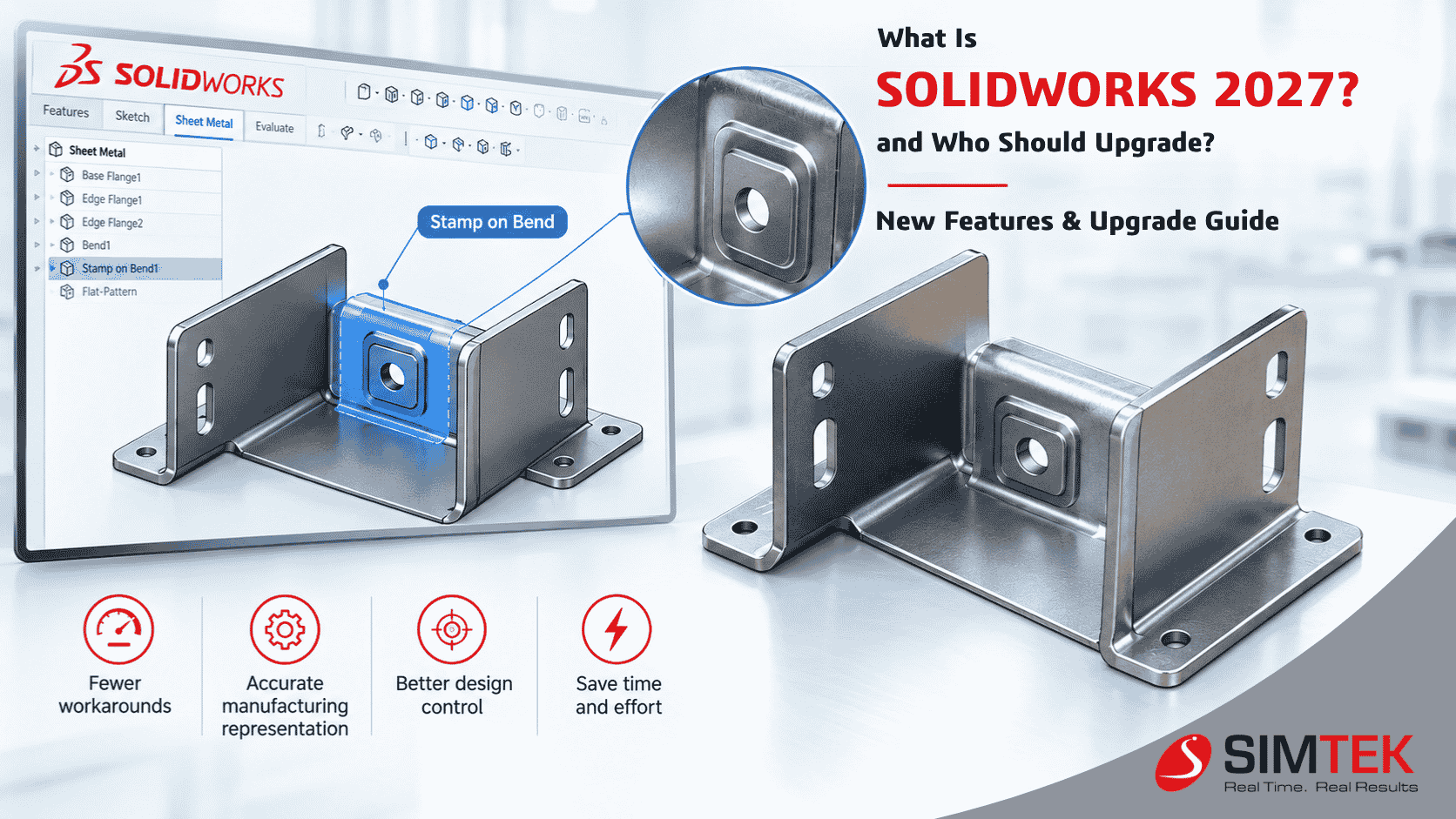
What Is SOLIDWORKS 2027?
SOLIDWORKS 2027 is the next generation of SOLIDWORKS 3D CAD software from Dassault Systèmes. It introduces new modeling, sheet metal, product-variation, AI-assisted and productivity-focused capabilities while continuing the familiar parametric CAD workflow used by mechanical engineering and manufacturing teams.
For designers, manufacturers, product-development teams, engineering students and companies already using SOLIDWORKS, the important question is not simply “What is new in SOLIDWORKS 2027?”
The bigger question is:
As AI becomes increasingly integrated into engineering software, SOLIDWORKS 2027 represents an important step toward a more intelligent CAD workflow. The SOLIDWORKS 2027 preview highlights new capabilities such as Variability Tables, Chord Width Fillet and Sheet Metal Stamp on Bend, alongside AI-enabled workflows for imported geometry and engineering documentation.
Why Is SOLIDWORKS 2027 Creating So Much Interest?
One reason is simple:
AI is moving from the sidelines into the engineering workflow.
Traditional CAD software has always helped engineers create geometry. The emerging generation of CAD tools is increasingly focused on helping engineers find, modify, document, validate and manage that geometry more intelligently.
SOLIDWORKS is developing AI capabilities around this idea. AI-powered workflows are being introduced to support tasks such as drawing creation, imported geometry conversion, engineering guidance and troubleshooting.
The goal is not to replace engineering judgment. Instead, AI can help reduce repetitive work and give engineers more time to focus on design decisions, optimization, validation and innovation.

AI-assisted engineering is becoming an important part of the SOLIDWORKS ecosystem.
5 SOLIDWORKS 2027 Developments Engineers Should Watch
AI-Assisted CAD Is Becoming More Practical
AI is one of the biggest trends surrounding SOLIDWORKS 2027. SOLIDWORKS is expanding AI-powered workflows to assist with drawings, imported geometry, troubleshooting and other engineering tasks.
Imported Geometry Can Become More Useful
Engineers frequently receive STEP and IGES files from suppliers, customers and legacy projects. AI-assisted workflows are being developed to help convert imported geometry into editable, feature-based parametric CAD.
Sheet Metal Design Gets More Manufacturing-Focused
Sheet Metal Stamp on Bend is one of the capabilities highlighted in the SOLIDWORKS 2027 preview. It is designed to help create stamped geometry directly on bend regions.
Variability Tables for Product Variants
Product manufacturers often create multiple variations of the same design. Variability Tables provide a structured approach for defining product variations using options and numerical parameters.
A More Connected Engineering Experience
SOLIDWORKS continues to expand its relationship with the 3DEXPERIENCE platform, connecting CAD with collaboration, data management and broader engineering workflows.
SOLIDWORKS 2027 and Imported CAD Geometry
Working with imported CAD data has traditionally been challenging. Engineering teams may receive STEP or IGES models from customers, suppliers, older projects or other CAD systems.
Turning that geometry into something that can be edited parametrically may require significant manual effort.
The SOLIDWORKS 2027 preview highlights an Imported Geometry to Parametric CAD workflow designed to help convert imported STEP and IGES models into editable, feature-based SOLIDWORKS parts.
This direction could be particularly useful for:
- Reverse engineering
- Supplier CAD data conversion
- Legacy design migration
- Product redesign
- Engineering service companies
- CAD interoperability
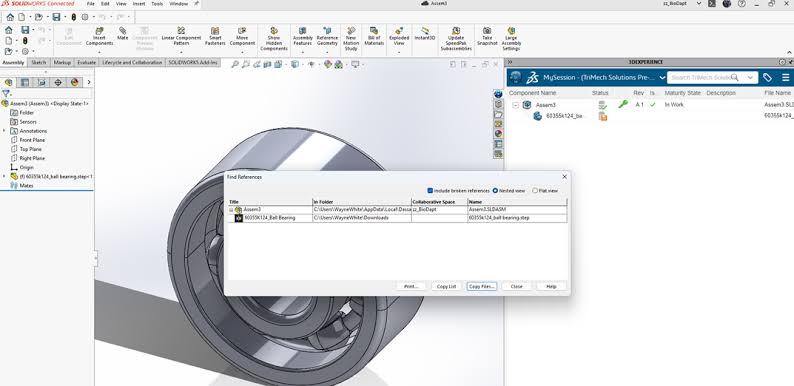
Imported CAD geometry can be an important workflow for engineering data migration.
SOLIDWORKS 2027 Sheet Metal: Stamp on Bend
Sheet metal engineers regularly deal with bends, forming operations, stamped features and manufacturing requirements.
SOLIDWORKS 2027's preview introduces Sheet Metal Stamp on Bend, allowing stamped geometry to be created on bend regions of sheet metal parts.
For sheet metal manufacturers, fabrication companies, machinery builders and enclosure designers, workflow improvements like these can become valuable because the same operations may be repeated across many components.
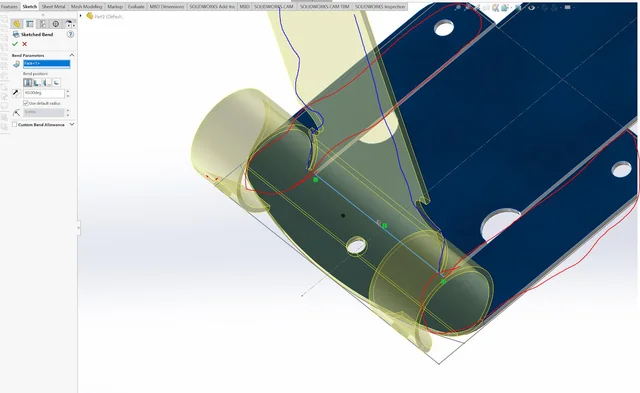
SOLIDWORKS 2027 Sheet Metal Stamp on Bend workflow.
Managing Product Variants With SOLIDWORKS 2027
Many manufacturers do not design just one product. They create product families with different dimensions, configurations, customer requirements and options.
This can make configuration management increasingly complex.
The introduction of Variability Tables in the SOLIDWORKS 2027 preview provides a structured method for defining product variability using variants, options and numerical parameters.
This can be relevant for manufacturers creating:
- Standardized machinery
- Custom equipment
- Industrial components
- Modular products
- Configurable assemblies
- Product families
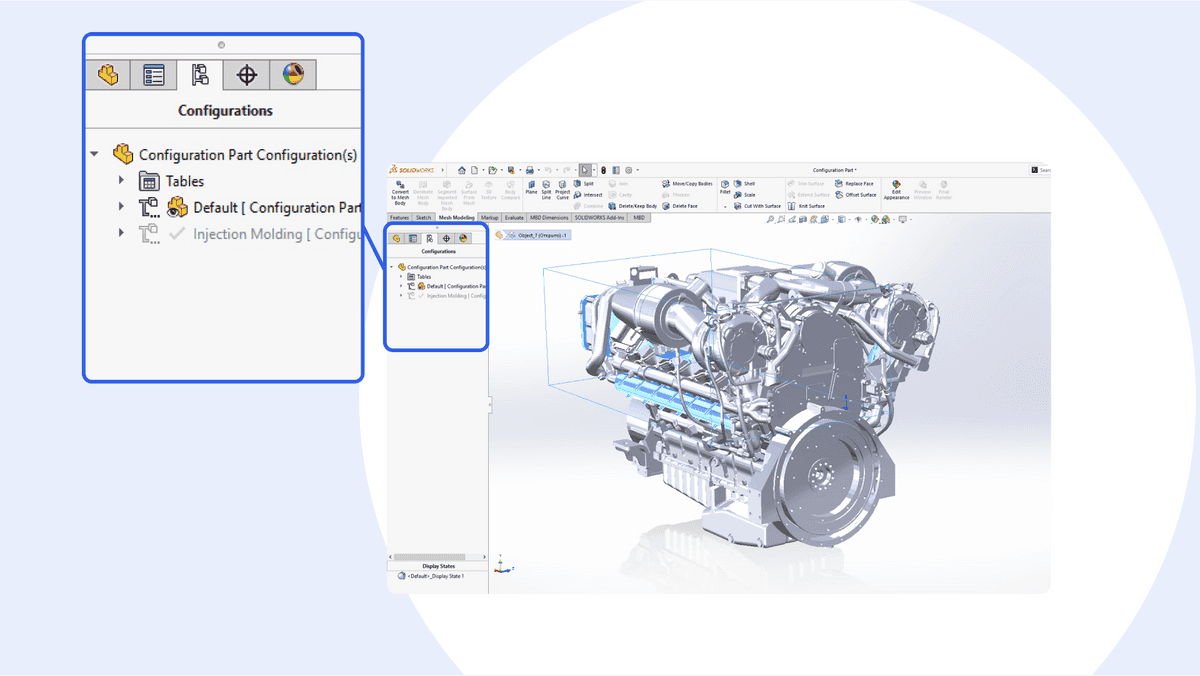
Variability Tables can help manage configurable product families.
Who Should Upgrade to SOLIDWORKS 2027?
Not every SOLIDWORKS user needs to upgrade immediately. The value of an upgrade depends on the workflows your organization uses and the capabilities available with your specific license.
1. Companies Using SOLIDWORKS Every Day
If SOLIDWORKS is central to your product-development workflow, the new modeling, automation and AI capabilities make SOLIDWORKS 2027 worth evaluating.
2. Engineers Working With Imported CAD
Teams that regularly receive STEP, IGES or other imported models should evaluate the new imported-geometry workflows.
3. Sheet Metal Manufacturers
Organizations designing sheet metal enclosures, brackets, cabinets, machinery components and fabricated products should examine the new sheet metal capabilities.
4. Companies Managing Multiple Product Variants
Businesses producing different versions of the same product can investigate Variability Tables and structured product variation.
5. Engineering Teams Exploring AI
Organizations already exploring AI for engineering should evaluate SOLIDWORKS 2027 as part of their wider digital engineering strategy.
SOLIDWORKS 2027 and Connected Engineering
Another important trend is the growing connection between desktop CAD and the broader 3DEXPERIENCE platform.
Modern engineering teams increasingly need more than CAD modeling. They also need collaboration, revision management, data organization, design sharing and controlled access to engineering information.
The continued integration of SOLIDWORKS with connected engineering workflows reflects this broader shift in how product-development teams manage design data.
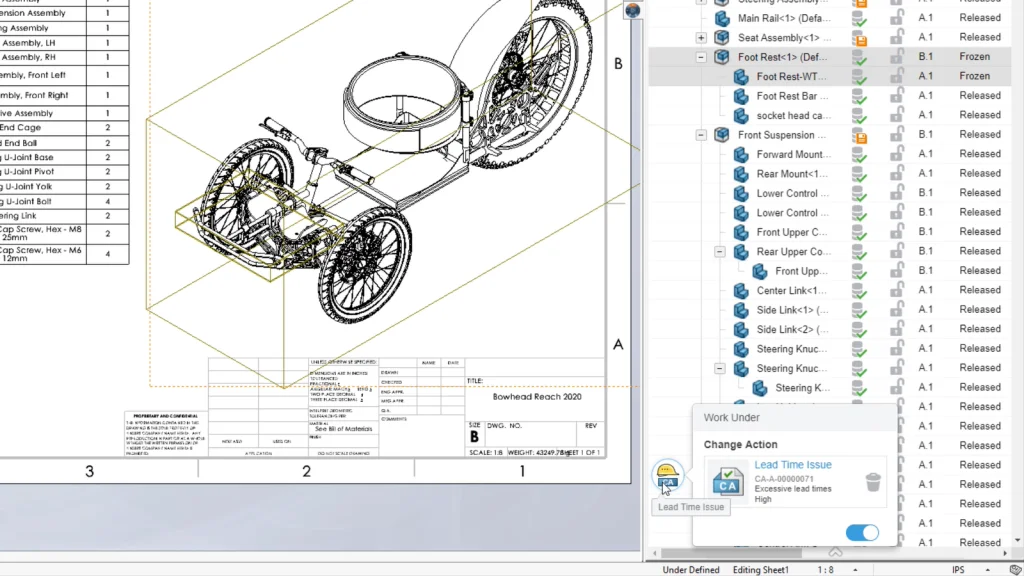
Connected engineering combines CAD with collaboration and product data workflows.
Who May Not Need to Upgrade Immediately?
An upgrade should be evaluated according to business requirements, not simply because a new version has been released.
Companies with highly customized environments should test their existing workflows before moving to a new production version.
- Customized legacy workflows
- Older hardware
- Large PDM environments
- Third-party add-ins
- Custom macros
- Customized templates
- Multi-version engineering teams
SOLIDWORKS 2027 Upgrade Checklist
- Check Hardware: Review processor, RAM, GPU, drivers and storage requirements.
- Review PDM: Verify PDM servers, clients, databases and workflows.
- Check Add-ins: Confirm compatibility of important third-party applications.
- Test Templates: Review drawing templates, design libraries and macros.
- Test Legacy Files: Open representative parts, assemblies and drawings.
- Review AI Requirements: Check availability based on your SOLIDWORKS license and connected platform requirements.
- Plan Training: Make sure engineers understand the new capabilities.
Should You Upgrade to SOLIDWORKS 2027?
The best way to answer this question is to look at your engineering workflow rather than simply your current SOLIDWORKS version.
If your team spends significant time on repetitive modeling, imported CAD, sheet metal design, product variants, drawing creation or engineering data management, SOLIDWORKS 2027 deserves evaluation.
If your environment is heavily customized or depends on legacy integrations, perform compatibility testing before moving production systems.
The larger story behind SOLIDWORKS 2027 is the continued shift toward AI-assisted, connected and increasingly automated engineering.
That shift could influence how engineers design, document, collaborate and manage CAD data in the coming years.
Explore SOLIDWORKS 2027 With SIMTEK
Planning a SOLIDWORKS upgrade? SIMTEK can help engineering and manufacturing organizations evaluate their CAD environment, licensing requirements, implementation needs and training plans.
SIMTEK – Authorised SOLIDWORKS Reseller in Tamil Nadu and Kolhapur
From SOLIDWORKS licensing and training to implementation, technical support and engineering solutions, SIMTEK supports organizations looking to build efficient CAD and product-development workflows.
Request a SOLIDWORKS ConsultationFrequently Asked Questions About SOLIDWORKS 2027
What is SOLIDWORKS 2027?
SOLIDWORKS 2027 is the next generation of SOLIDWORKS 3D CAD, introducing new modeling, sheet metal, product-variation, AI-assisted and productivity-focused capabilities.
What are the new features in SOLIDWORKS 2027?
The SOLIDWORKS 2027 preview highlights capabilities including Variability Tables, Chord Width Fillet, Sheet Metal Stamp on Bend and AI-assisted workflows for imported geometry and engineering documentation.
Does SOLIDWORKS 2027 have AI?
Yes. SOLIDWORKS is expanding AI capabilities across engineering workflows, including AI-assisted drawing generation, imported geometry workflows, troubleshooting and engineering assistance.
Who should upgrade to SOLIDWORKS 2027?
Engineering teams that can benefit from AI-assisted workflows, imported CAD conversion, sheet metal improvements, product variant management and connected engineering should evaluate SOLIDWORKS 2027.
Should I upgrade to SOLIDWORKS 2027 immediately?
Upgrade timing depends on your license, hardware, PDM system, add-ins, existing workflows and the capabilities your team requires. Testing representative company data before production deployment is recommended.
Where can I get SOLIDWORKS support in Tamil Nadu?
SIMTEK is an Authorised SOLIDWORKS Reseller in Tamil Nadu and Kolhapur, providing SOLIDWORKS licensing, training, implementation, technical support and engineering solutions.