
Best SOLIDWORKS Software for Product Design: Which Solution Do You Need?
Every successful product starts with an idea. But transforming that idea into a high-quality product requires more than good engineering skills. You need the right tools to design, test, visualize, manufacture and manage your product.
This is where many engineers and businesses face a common challenge: Which SOLIDWORKS solution is right for my product development needs?
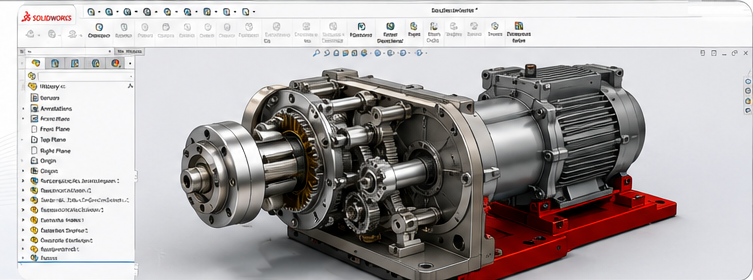
Why Choosing the Right SOLIDWORKS Solution Matters
Product development today is more than simply creating a 3D model. Engineering teams may need simulation, electrical design, realistic rendering, cloud collaboration and secure data management.
Using disconnected or unsuitable tools can create unnecessary delays, increase costs and create more opportunities for design errors and rework.
The right question is not:
“Which SOLIDWORKS software is the best?”Instead, ask:
“Which SOLIDWORKS solution is best for the way my team designs and develops products?”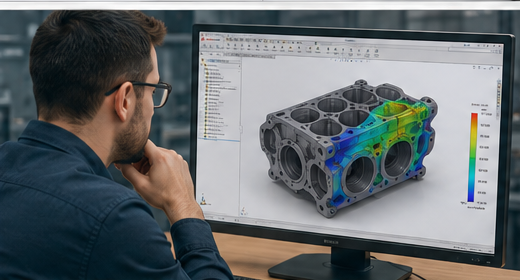
Find the Right SOLIDWORKS Solution for Your Product Development Needs
SOLIDWORKS offers a range of powerful solutions designed to support different stages of product development. From creating 3D models and testing performance to managing design data and improving team collaboration, you can choose the tools that best fit your workflow.
Here is a quick guide to help you understand which SOLIDWORKS solution may be right for your business.
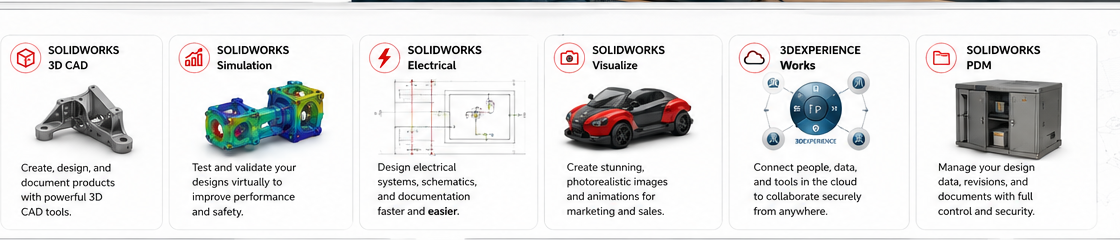
SOLIDWORKS 3D CAD
Create accurate 3D parts, assemblies and production-ready engineering drawings for your product development process.
Best for: Product & Mechanical Design
SOLIDWORKS Simulation
Test product performance virtually by analysing stress, displacement, thermal performance and durability.
Best for: Design Validation & Testing
SOLIDWORKS Electrical
Create electrical schematics, wiring designs and connected documentation for electrical and mechatronic products.
Best for: Electrical System Design
SOLIDWORKS Visualize
Create photorealistic product images, animations and presentations directly from your CAD models.
Best for: Rendering & Product Marketing
3DEXPERIENCE Works
Connect people, tools and product data through a cloud-based environment built for collaboration.
Best for: Cloud Collaboration
SOLIDWORKS PDM
Manage CAD files, revisions, approvals and engineering documents with better control and traceability.
Best for: Product Data Management
Choose Smarter. Design Better. Deliver Products Faster.
The best SOLIDWORKS software is not necessarily the one with the most features. The right solution is the one that fits your engineering workflow, product complexity, business requirements and future growth plans.
Choosing the right combination of SOLIDWORKS solutions can help your business improve the entire product development process.
- Reduce product design and development time
- Improve product quality and engineering accuracy
- Minimize costly design errors and rework
- Reduce dependence on physical prototypes
- Improve collaboration across engineering teams
- Manage CAD files and engineering data efficiently
- Bring innovative products to market faster
In many cases, the best approach is not choosing just one tool. A connected combination of SOLIDWORKS solutions can support your complete workflow—from concept and design to validation, collaboration and product delivery.
Not Sure Which SOLIDWORKS Solution Is Right for You?
Our experts at SIMTEK can help you identify the right SOLIDWORKS solution based on your product design, engineering, simulation, manufacturing and collaboration requirements.
Talk to Our Experts