
SOLIDWORKS vs AutoCAD, Fusion 360, Inventor, CATIA & Creo: Which CAD Software Is Best?
Choosing the right CAD software can directly affect design speed, productivity, collaboration, and manufacturing efficiency. But with so many options available, which CAD software is best for mechanical engineering and product design?
Popular choices include SOLIDWORKS, AutoCAD, Fusion 360, Inventor, CATIA, and Creo. Each platform has its own strengths and is designed for different engineering requirements.
However, for mechanical product design, 3D modelling, assemblies, engineering drawings, simulation, visualization, and manufacturing-focused workflows, SOLIDWORKS stands out as a well-rounded CAD solution.
SOLIDWORKS vs Other CAD Software: Quick Overview
AutoCAD is widely known for 2D drafting and general-purpose CAD, while Fusion 360 combines CAD, CAM, CAE, PCB, and cloud collaboration. Inventor focuses strongly on professional mechanical design and engineering. CATIA is widely used for advanced product development and complex engineering, while Creo provides powerful parametric and product-development capabilities.
SOLIDWORKS combines 3D part and assembly modelling, production-ready drawings, simulation, rendering, CAM, specialized design tools, and cloud collaboration within a product-development ecosystem.
SOLIDWORKS vs AutoCAD
AutoCAD is an excellent choice when your primary requirement is 2D drafting, documentation, layouts, and general CAD work. It is widely used across architecture, engineering, construction, and design industries.
But when the focus shifts to mechanical 3D product design, SOLIDWORKS offers a more specialized workflow.
SOLIDWORKS makes it easier to create parametric parts, assemblies, detailed drawings, sheet-metal designs, weldments, molds, and other mechanical products.
Best choice:
2D drafting → AutoCAD
Mechanical 3D product development → SOLIDWORKS
SOLIDWORKS vs Fusion 360
Fusion 360 combines CAD, CAM, CAE, PCB, data management, and collaboration in an integrated cloud platform. It can be attractive for startups, makers, small teams, and companies looking for a connected cloud-based design-to-manufacturing workflow.
SOLIDWORKS is particularly strong for organizations that need a mature mechanical CAD environment with sophisticated assemblies, manufacturing documentation, specialized design tools, simulation, rendering, and engineering workflows.
Best choice:
Integrated cloud CAD/CAM/CAE → Fusion 360
Professional mechanical product development → SOLIDWORKS
SOLIDWORKS vs Inventor
Autodesk Inventor provides professional mechanical design, documentation, parametric modelling, assemblies, sheet metal, simulation, and manufacturing-related capabilities.
The comparison is therefore much closer. SOLIDWORKS has a strong advantage when ease of learning, intuitive modelling, assembly design, engineering drawings, specialized mechanical tools, simulation, rendering, and a broad product-development ecosystem are priorities.
Best choice: Both are strong mechanical CAD platforms, but SOLIDWORKS is often preferred for its intuitive workflow and broad engineering ecosystem.
SOLIDWORKS vs CATIA
CATIA is designed for advanced product development and complex engineering requirements, particularly in industries such as aerospace, automotive, transportation, and large-scale engineering.
For highly complex surfaces, large product structures, and advanced industrial applications, CATIA can be an excellent choice.
However, companies looking for a powerful yet comparatively accessible mechanical 3D CAD platform may find SOLIDWORKS easier to adopt and train teams on.
Highly complex enterprise engineering → CATIA
Mechanical product design and everyday engineering → SOLIDWORKS
SOLIDWORKS vs Creo
Creo is another powerful parametric 3D CAD platform used for product design and engineering. It is particularly suitable for companies requiring advanced parametric modelling and complex engineering workflows.
SOLIDWORKS competes strongly with its intuitive interface, robust part and assembly modelling, production-ready drawings, simulation, visualization, and manufacturing-focused capabilities.
Advanced parametric engineering workflows → Creo
User-friendly mechanical product development → SOLIDWORKS
Why Choose SOLIDWORKS?
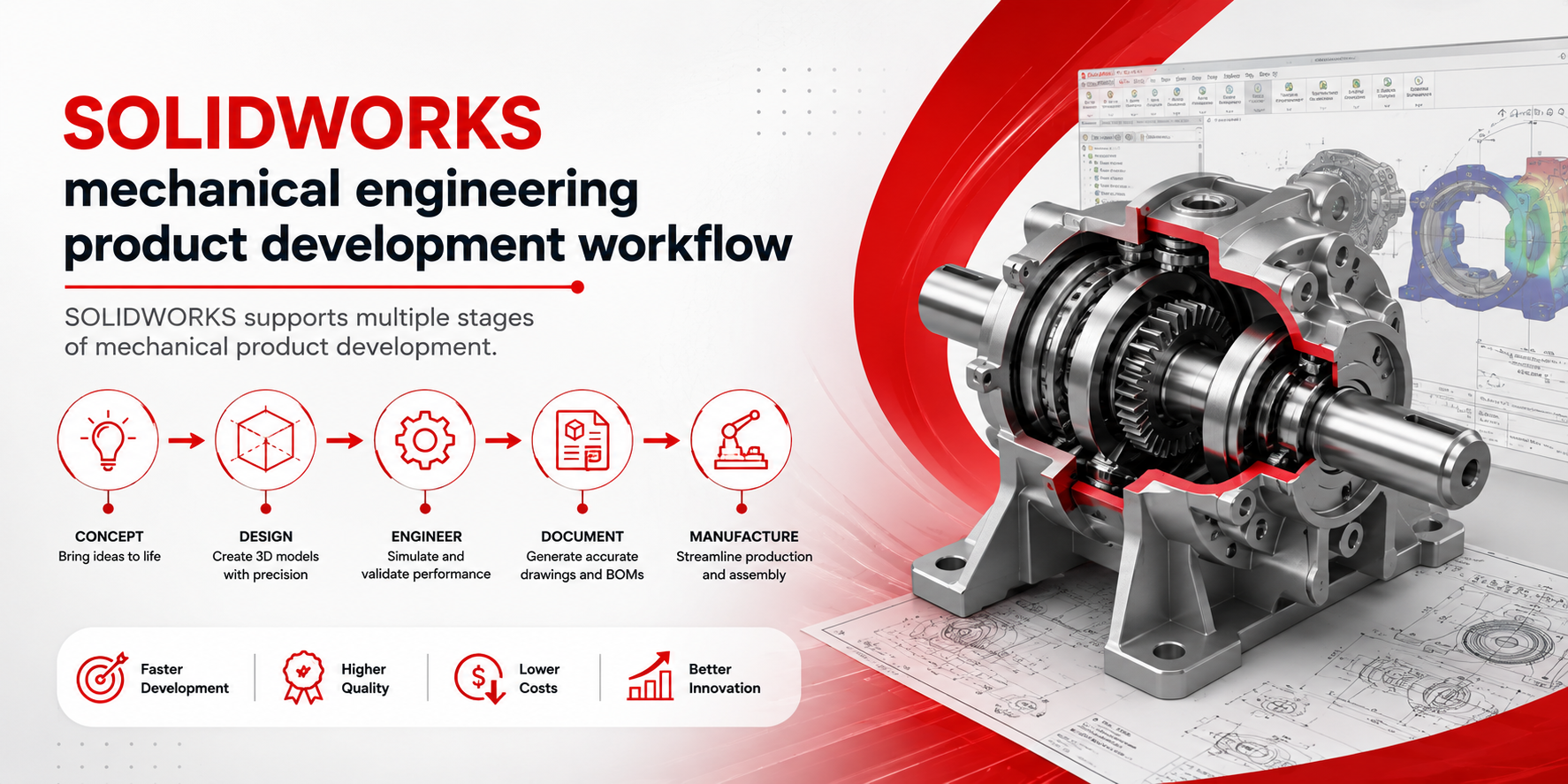
The biggest advantage of SOLIDWORKS is not simply 3D modelling. It is the ability to connect multiple stages of product development within a powerful engineering ecosystem.
- 3D part and assembly modelling
- Parametric design
- Production-ready 2D drawings
- Sheet metal and weldments
- Mold design
- Large assembly workflows
- Simulation and engineering analysis
- Rendering and visualization
- CAM and manufacturing workflows
- Cloud collaboration and data management
- AI-powered productivity features
These capabilities can help organizations reduce the need to move between disconnected applications during product development.
Which CAD Software Is Best?
| CAD Software | Best Suited For |
|---|---|
| SOLIDWORKS | Mechanical product design, assemblies and manufacturing |
| AutoCAD | 2D drafting and general CAD |
| Fusion 360 | Cloud CAD/CAM/CAE and integrated workflows |
| Inventor | Mechanical design and engineering |
| CATIA | Advanced aerospace, automotive and complex engineering |
| Creo | Parametric product design and engineering |
Final Verdict
So, SOLIDWORKS vs AutoCAD, Fusion 360, Inventor, CATIA & Creo — which CAD software is best?
For general 2D drafting, AutoCAD remains a strong option. Fusion 360 is attractive for integrated cloud-based design and manufacturing. Inventor is a capable mechanical CAD solution. CATIA excels in complex enterprise engineering, while Creo is powerful for advanced parametric product development.
But if you want a balanced combination of ease of use, powerful 3D modelling, assemblies, drawings, simulation, visualization, and manufacturing workflows, SOLIDWORKS is a compelling choice for mechanical engineers, designers, manufacturers, startups, and growing businesses.
For more information about the broader Dassault Systèmes ecosystem, visit 3ds.com .
Looking for the Right SOLIDWORKS Solution?
SIMTEK - best authorised solidworks reseller across Tamil Nadu can help you choose the right SOLIDWORKS solution, licensing option, training, and technical support based on your engineering requirements.
Request a QuoteFrequently Asked Questions
Is SOLIDWORKS better than AutoCAD?
For mechanical 3D product design, SOLIDWORKS is generally better suited because it provides specialized tools for parts, assemblies, parametric modelling, drawings, and engineering workflows. AutoCAD remains highly useful for 2D drafting and general CAD.
Is SOLIDWORKS better than Fusion 360?
It depends on your requirements. Fusion 360 offers an integrated cloud-based CAD, CAM, CAE, PCB, and collaboration environment, while SOLIDWORKS provides a mature mechanical product-development ecosystem with strong modelling, assemblies, drawings, simulation, visualization, and manufacturing capabilities.
Which is easier to learn: SOLIDWORKS or CATIA?
SOLIDWORKS is often considered more approachable for beginners and mechanical design teams because of its intuitive interface and workflow. CATIA is highly capable but can involve a steeper learning curve for advanced engineering applications.
Which CAD software is best for mechanical engineering?
SOLIDWORKS, Inventor, and Creo are all strong choices. For an intuitive, comprehensive mechanical product-development workflow, SOLIDWORKS is a leading option.
Should a company switch from AutoCAD to SOLIDWORKS?
If your company is moving from primarily 2D drafting toward 3D mechanical design, assemblies, simulation, visualization, and manufacturing, switching to SOLIDWORKS can be a logical step. The right decision should consider your existing files, team skills, workflows, budget, and business requirements.