
Why SOLIDWORKS Composer is the Best Assembly Instruction Software
Designing an innovative product is only the beginning. Every product also needs clear assembly instructions, work instructions, user manuals, installation guides, maintenance documents, and service manuals. Without proper documentation, even the best-designed product can lead to production delays, assembly mistakes, and unhappy customers.
Many manufacturers still use screenshots, Word documents, PowerPoint slides, or image editing software to prepare technical documents. This process is slow, difficult to update, and often creates confusion whenever the product design changes.
This is why companies are investing in assembly instruction software like SOLIDWORKS Composer. It transforms existing SOLIDWORKS CAD data into professional technical publications, helping engineering, manufacturing, service, sales, and training teams work from the same accurate product information.
What is Assembly Instruction Software?
Assembly instruction software is a solution that helps manufacturers create visual product documentation directly from 3D CAD models. Instead of manually drawing images or taking screenshots, the software automatically generates clear illustrations, exploded views, balloons, animations, and interactive product documentation.
Modern technical documentation software allows companies to prepare high-quality documents that are easy to understand for production operators, service engineers, distributors, and end users.
Assembly Instructions
Create professional step-by-step assembly instructions directly from SOLIDWORKS CAD models.
Work Instructions
Develop visual work instruction software documents for production and manufacturing teams.
User Manuals
Create user manual software documents with high-quality illustrations and product views.
Service Manuals
Prepare maintenance instructions and service manuals using one connected 3D model.
Whether you are searching for how to create assembly instructions, how to write a user manual, or the best instruction manual software, SOLIDWORKS Composer gives you one platform to create everything from 3D work instructions to professional service documentation.
1. Create Assembly Instructions from SOLIDWORKS Faster
One of the biggest advantages of SOLIDWORKS Composer is its ability to create assembly instructions from SOLIDWORKS models without drawing every illustration manually. Engineers can use the existing CAD model to generate professional documentation in just a few clicks.
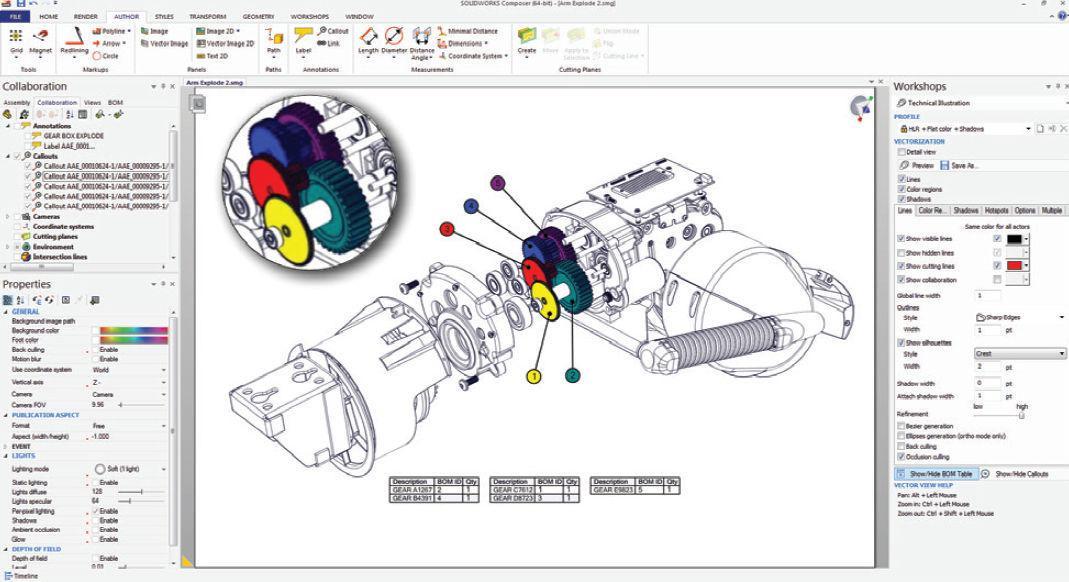
Instead of taking screenshots and editing images one by one, Composer automatically creates clean illustrations, exploded views, balloons, and part callouts. This saves valuable engineering time while improving document quality.
- Create assembly instructions from CAD models.
- Reduce documentation time.
- Reuse existing SOLIDWORKS designs.
- Update documents after every design revision.
- Maintain consistent product documentation.
Whenever your CAD model changes, SOLIDWORKS Composer updates the technical documentation much faster than traditional documentation methods.
2. Build Step-by-Step Assembly Instructions for Every Product
Manufacturing operators need clear instructions to assemble products correctly. Text-only manuals often create confusion and increase production errors.
SOLIDWORKS Composer creates professional step by step assembly instructions with interactive 3D illustrations. Operators can clearly see each component, understand the assembly sequence, and complete the job with confidence.
This makes it one of the best assembly instruction software solutions for manufacturers of medical devices, industrial machinery, automation equipment, consumer products, and electronics.
With SOLIDWORKS Composer You Can Create
- Step by Step Assembly Instructions
- Assembly Instruction Template
- Assembly Instructions Examples
- Assembly Instructions from SOLIDWORKS
- Assembly Instructions from CAD
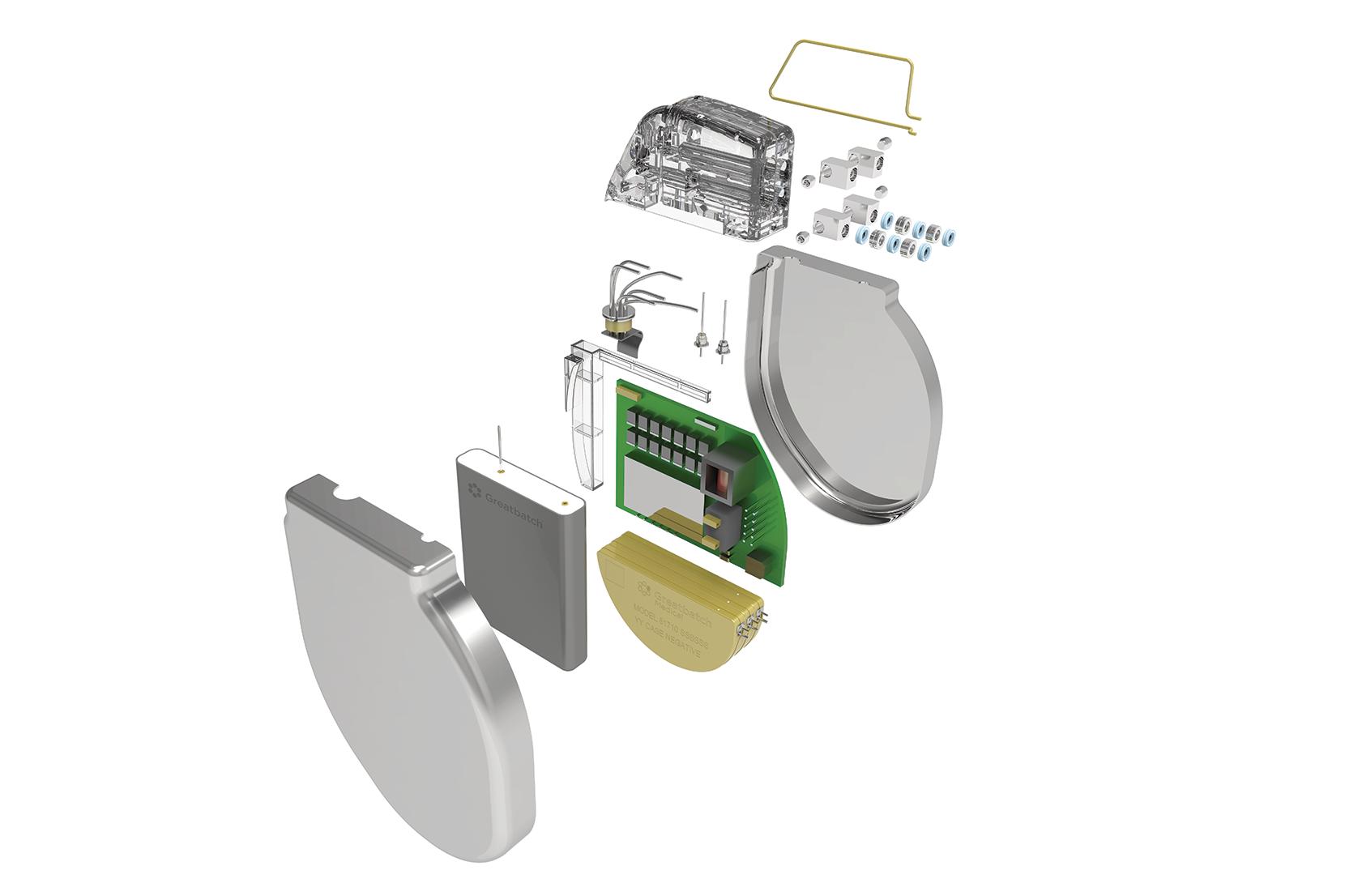
- Exploded View Assembly Drawing
3. Create Professional User Manuals and Work Instructions
Every product needs clear documentation after manufacturing. Customers need user manuals, technicians need service manuals, and operators need production work instructions.
SOLIDWORKS Composer works as powerful user manual software, work instruction software, and instruction manual software. It allows companies to create professional documents directly from one 3D product model.
Instead of maintaining multiple files, all technical documents remain connected to the latest CAD design, making updates much easier.
- User Manual Template
- Work Instruction Template
- Maintenance Instructions Software
- Service Manual Software
- Interactive 3D Work Instructions
- Technical Documentation Software
Whether your team is learning how to write a user manual or searching for the best way to create digital work instructions, SOLIDWORKS Composer simplifies the entire documentation process while improving quality and consistency.
4. Create Interactive 3D Work Instructions
Traditional paper documents often fail to explain complex assembly processes. Operators may misunderstand the sequence, resulting in assembly errors and production delays.
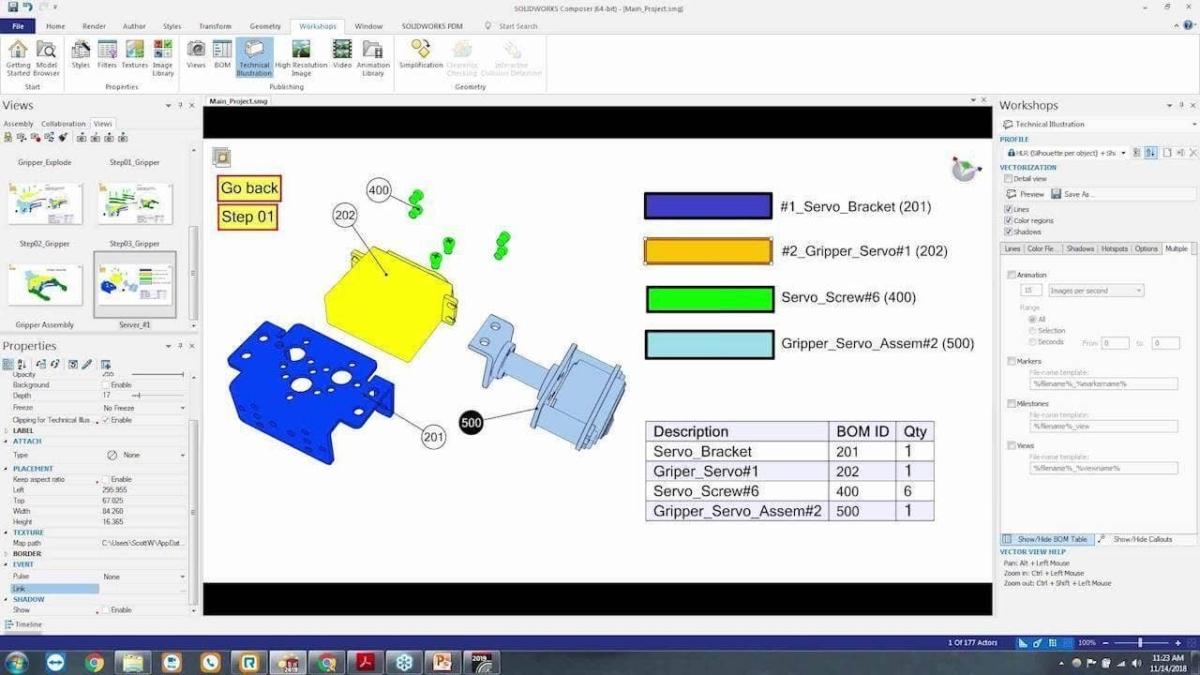
SOLIDWORKS Composer allows manufacturers to create 3D work instructions with detailed illustrations, animations, exploded views, and component callouts. These visual documents are much easier to understand than ordinary PDFs.
- Interactive manufacturing instructions
- Visual production guidance
- Clear assembly sequence
- Easy component identification
- Better operator productivity
5. Create Service Manuals and Maintenance Instructions Faster
Products require regular maintenance after installation. Service engineers need accurate documentation to repair equipment quickly and correctly.
SOLIDWORKS Composer works as powerful service manual software and maintenance instructions software. Instead of creating manuals manually, companies can automatically generate maintenance procedures directly from their CAD models.
- Service Manuals
- Maintenance Instructions
- Installation Guides
- Repair Procedures
- Exploded Spare Parts Views
This helps reduce machine downtime while improving customer satisfaction.
6. Keep Technical Documentation Up to Date
Engineering changes happen regularly during product development. Updating hundreds of screenshots manually can consume many hours.
SOLIDWORKS Composer links documentation directly to the CAD model. When your design changes, you can quickly refresh the illustrations without recreating every page.
This makes Composer one of the most reliable technical documentation software solutions for manufacturers who frequently update products.
- Reduce document revision time
- Maintain documentation accuracy
- Reuse engineering data
- Improve design communication
7. Support Machinery Documentation Requirements
Manufacturers selling industrial equipment often need professional documentation that supports safety, operation, maintenance, and servicing.
SOLIDWORKS Composer helps engineering teams prepare technical publications that contribute to compliance documentation, including materials used to support technical documentation for the Machinery Regulation and machine manuals for applicable markets.
Using one CAD model as the source helps improve consistency across engineering drawings, assembly instructions, user manuals, maintenance guides, and service documentation.
Ready to Simplify Your Technical Documentation?
Create assembly instructions, work instructions, user manuals, service manuals, and maintenance documents directly from your SOLIDWORKS CAD models with SOLIDWORKS Composer.
Final Thoughts
If your company is still creating technical documents manually, now is the right time to modernize your documentation process. SOLIDWORKS Composer is much more than an assembly instruction software. It is a complete technical documentation software solution that helps engineering, manufacturing, service, sales, and training teams work from the same accurate product data.
Whether you need assembly instructions from SOLIDWORKS, assembly instructions from CAD, step by step assembly instructions, exploded view assembly drawings, work instruction software, user manual software, instruction manual software, maintenance instructions software, or service manual software, SOLIDWORKS Composer simplifies the entire documentation process while saving valuable engineering time.
From medical equipment manufacturers to machine builders and industrial automation companies, SOLIDWORKS Composer helps businesses improve product quality, reduce documentation errors, speed up engineering changes, and deliver a better customer experience.
Transform Your CAD Models into Professional Technical Documentation
Looking for the best way to create assembly instructions, work instructions, user manuals, service manuals, and interactive 3D work instructions? Partner with SIMTEK, an Authorized SOLIDWORKS Reseller, to discover how SOLIDWORKS Composer can improve your manufacturing documentation workflow.
BOOK A FREE DEMOFrequently Asked Questions
What is assembly instruction software?
Assembly instruction software helps manufacturers create visual assembly guides, exploded views, animations, and production documentation directly from CAD models.
How do I create assembly instructions from SOLIDWORKS?
SOLIDWORKS Composer imports SOLIDWORKS CAD models and automatically creates professional assembly instructions, exploded view assembly drawings, and interactive 3D work instructions without manually recreating illustrations.
Can SOLIDWORKS Composer create user manuals and service manuals?
Yes. SOLIDWORKS Composer is widely used to create user manuals, installation guides, maintenance instructions, service manuals, spare parts catalogues, and technical documentation from one connected 3D CAD model.
Who should use SOLIDWORKS Composer?
SOLIDWORKS Composer is ideal for medical device manufacturers, industrial equipment manufacturers, machine builders, automation companies, electronics manufacturers, and any business that needs professional technical documentation.
Why is SOLIDWORKS Composer better than creating documents manually?
Unlike manual documentation, SOLIDWORKS Composer keeps documents connected to the latest CAD design. This reduces documentation time, improves accuracy, simplifies engineering changes, and helps teams create high-quality technical publications much faster.